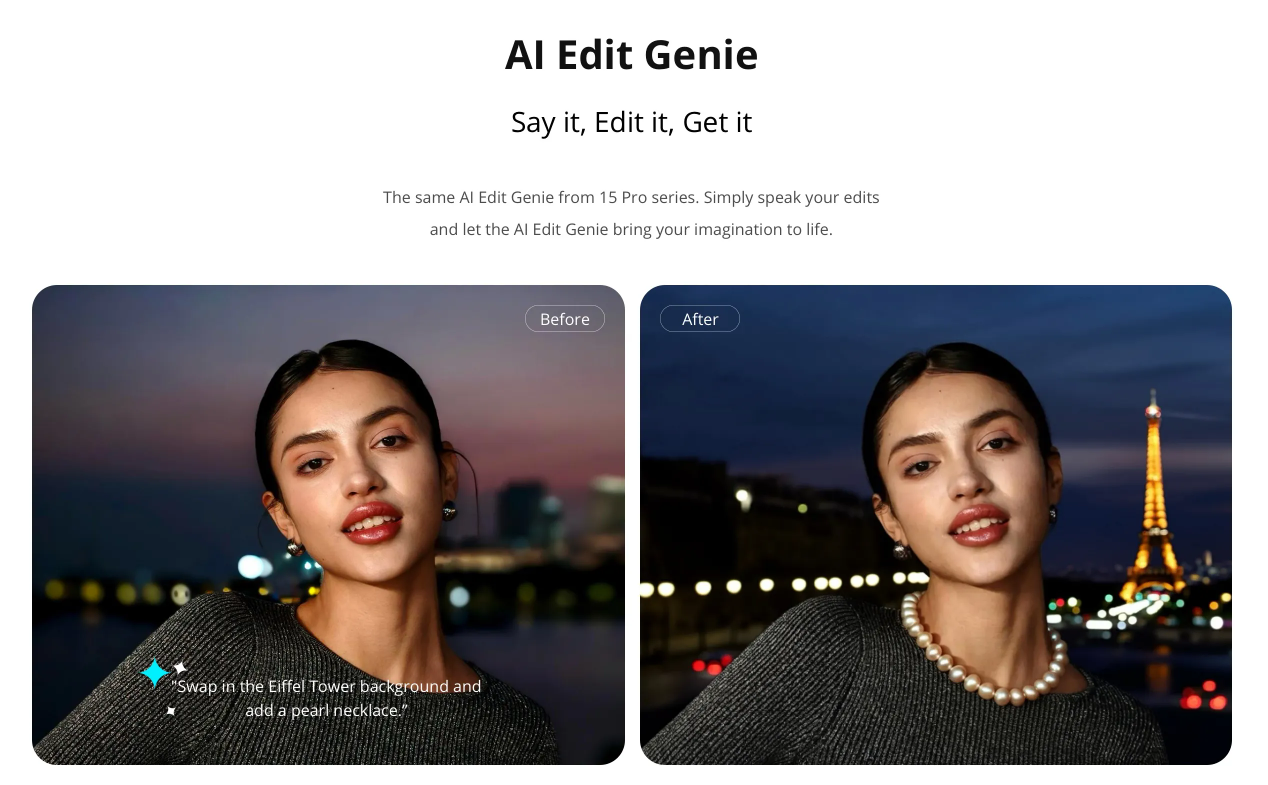
You can use voice or text to input image editing commands, and AI Edit Genie will automatically execute them for you.
Supported models:
realme 15 Pro 5G, realme 15 5G, realme P4 5G, realme P4 Pro 5G, realme 15T 5G, realme 15x 5G, realme GT7, realme GT 8 Pro, realme C85 5G, realme 16 Pro, realme 16 Pro+, realme P4 Power 5G
Supported languages:
English, Hindi, Marathi, Bengali, Indonesian, Thai, Filipino, Vietnamese, Malay, Spanish, Portuguese, Polish, Italian, French, German, Russian, Kazakh, Persian, Uzbek, Traditional Chinese (Taiwan)
Setting path:
Photo > AI Edit Genie > click AI Inspiration
Usage scenarios-Samples:
1. Directly call the AI edit feature (AI Eraser, AI Ultra Clarity, AI Glare Remover, AI Deblur, AI Remove Reflections, and basic edit feature), such as "help me to eliminate the passers-by" call AI Eraser to execute.
2. New AIGC picture editing feature, such as replacing elements (change colors, change items), adding elements (add a jewelry on the neck), etc.
3. Support multiple commands, such as "Help me change my car to black, and then change my clothes to white".