realme Book screen does not support anti-blue light. You can turn on the night mode to protect your eye:
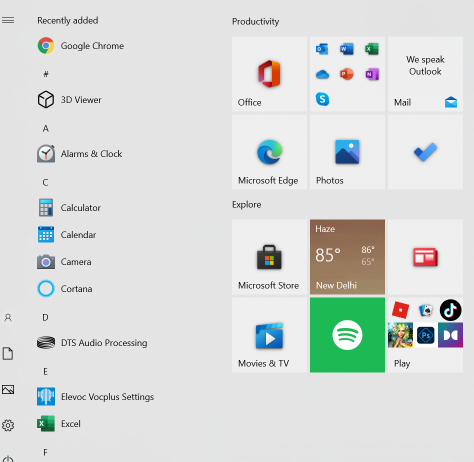
1. Click the Start menu at the bottom left corner of the screen .
.
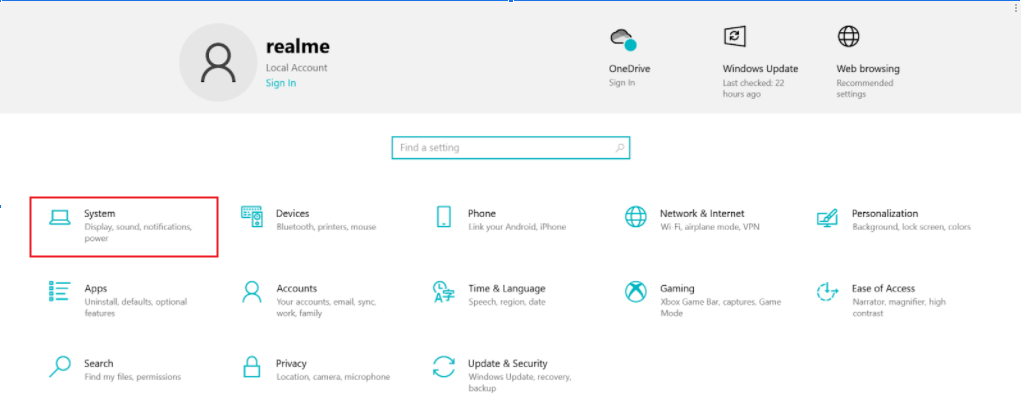
2. Open Settings and click System Options.
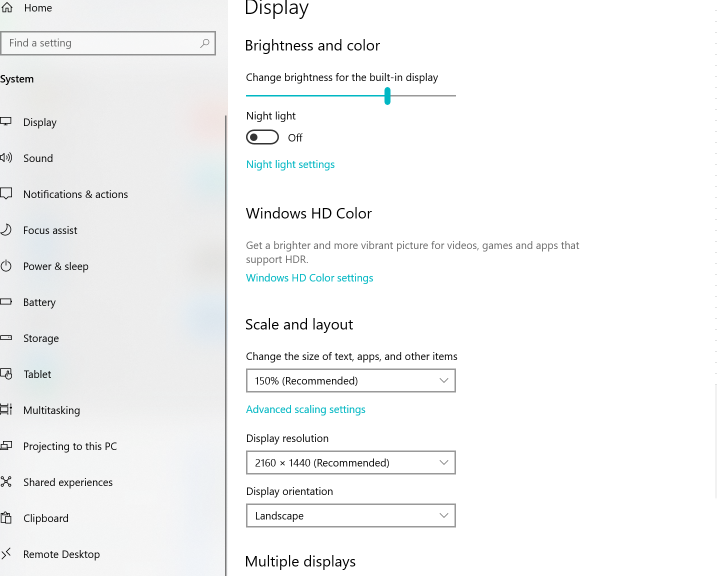
3. Turn on the Night light.
realme Book screen does not support anti-blue light. You can turn on the night mode to protect your eye:
1. Click the Start menu at the bottom left corner of the screen.
2. Open Settings and click System Options.
3. Turn on the Night light.
Article Reference
Official Realme documented guide #2084062
Your feedback helps us improve our support content.
Explore more articles or contact our customer support team for personlized assistance.
Visit Support Hub