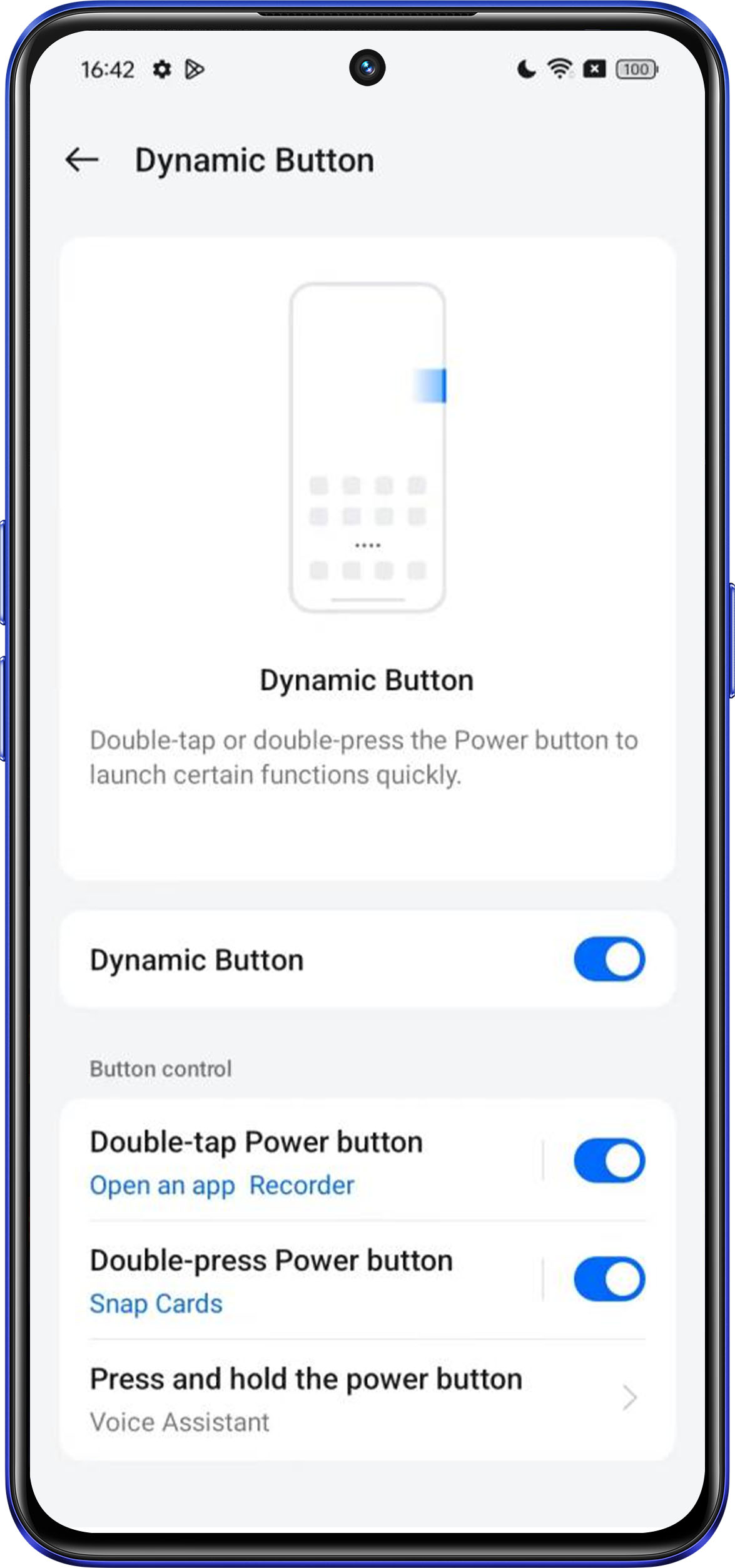
By tapping or pressing the power button twice, you can quickly start a specific function, allowing you to initiate common tasks or applications faster without having to navigate through the intricate menus on your phone.
Supported models:
realme 12x 5G, realme 12 5G, realme C61, realme C63, realme NARZO N61, realme C63 5G, realme 13+ 5G, realme 13 5G, realme Narzo 70 Turbo 5G, realme P1 Speed 5G, realme Narzo 70x, realme C65 5G, realme 14x 5G, realme P3x 5G, realme NARZO 80x 5G, realme C75 5G, realme C73 5G, realme NARZO 80 Lite 5G, realme C71 4G, realme P3 Lite 5G, realme 15 Lite 5G
Setting path:
Settings > Special features > Dynamic Button
Support function:
Double-tap Power button:
Change sound mode, Open Camera, Set timer, Open an app, Turn Do Not Disturb on/off, Turn Riding mode on/off, Turn Airplane mode on/off, Turn flashlight on/off, Clean up.
Double-press Power button:
Change sound mode, Open Camera, Set timer, Open an app, Snap Cards, Turn Do Not Disturb on/off, Turn Riding mode on/off, Turn Airplane mode on/off, Turn flashlight on/off, Clean up.
Press and hold the power button:
Power Menu, Voice Assistant