Solution:
1. realme Link APP>realme Buds Air 3 Neo>three dots in the upper right corner>check whether the Firmware is V1.1.0.28 version or not displayed firmware version.
2. Make sure the earphone Bluetooth is not connected.
3. Take the earphones out of the charging case. Both side earbuds are placed in the ear.
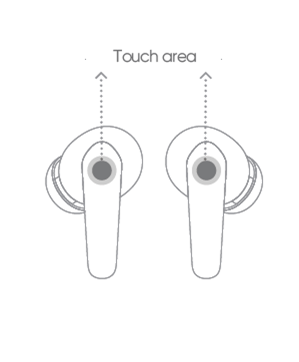
4. Not displayed Firmware version: Tap the left and right ear touch area three times at the same time, and then press and hold the touch area of the two buds at the same time for more than 15s.
V1.1.0.28: Tap the left and right ear touch area five times at the same time, and then press and hold the touch area of the two buds at the same time for more than 15s.
5. The pairing sound is heard from both ears, which means that the pairing state is entered, and the re-group is successful.
If the issue persists, take the earphones and proof of purchase to an authorized realme Customer Service Center for assistance.