1. Press the power button once in the off mode to turn on the computer.
2. Press and hold the power button for 3s to enter the sleep mode in the Windows system after booting.
3. Press and hold the power button for about 5s to force the power off.
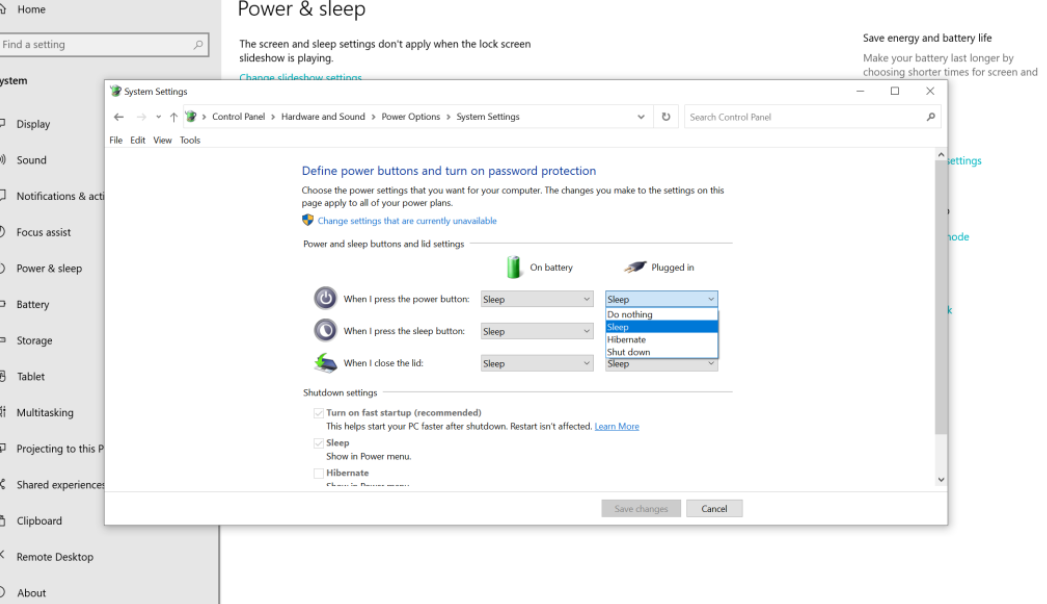
You can also customize other functions of the power key. The operation steps are as follows:
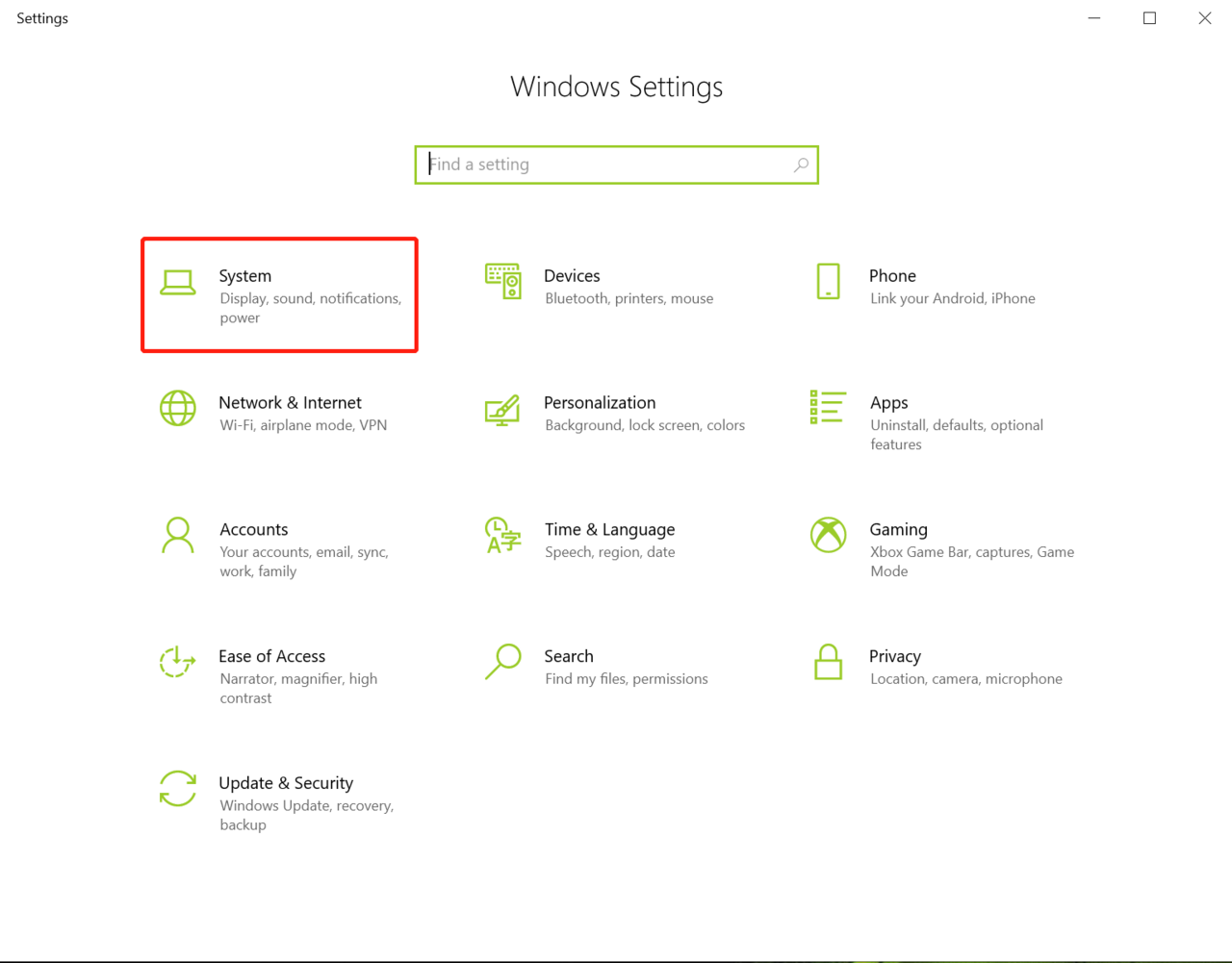
(1) Tap windows Icon > Settings Icon, select System.

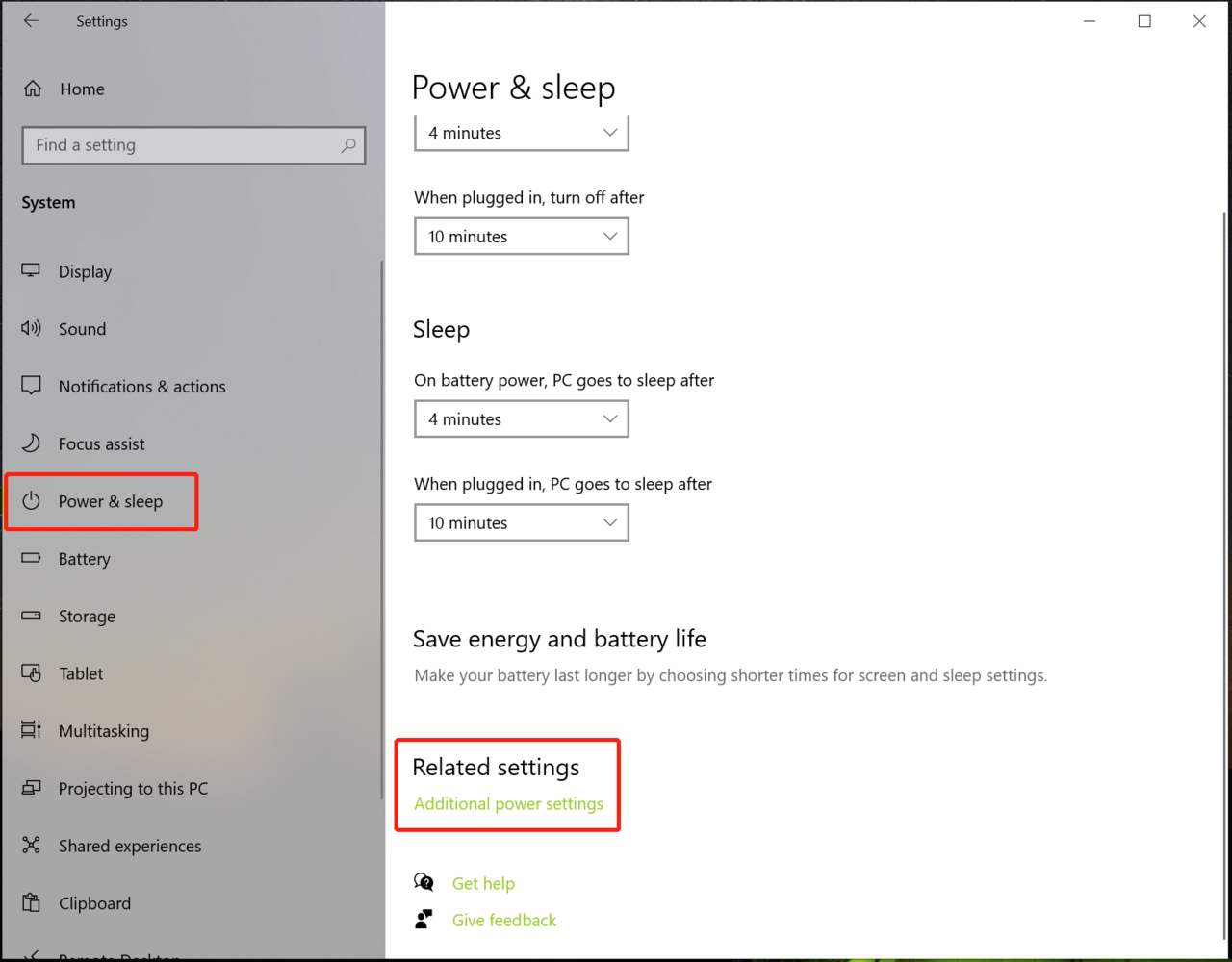
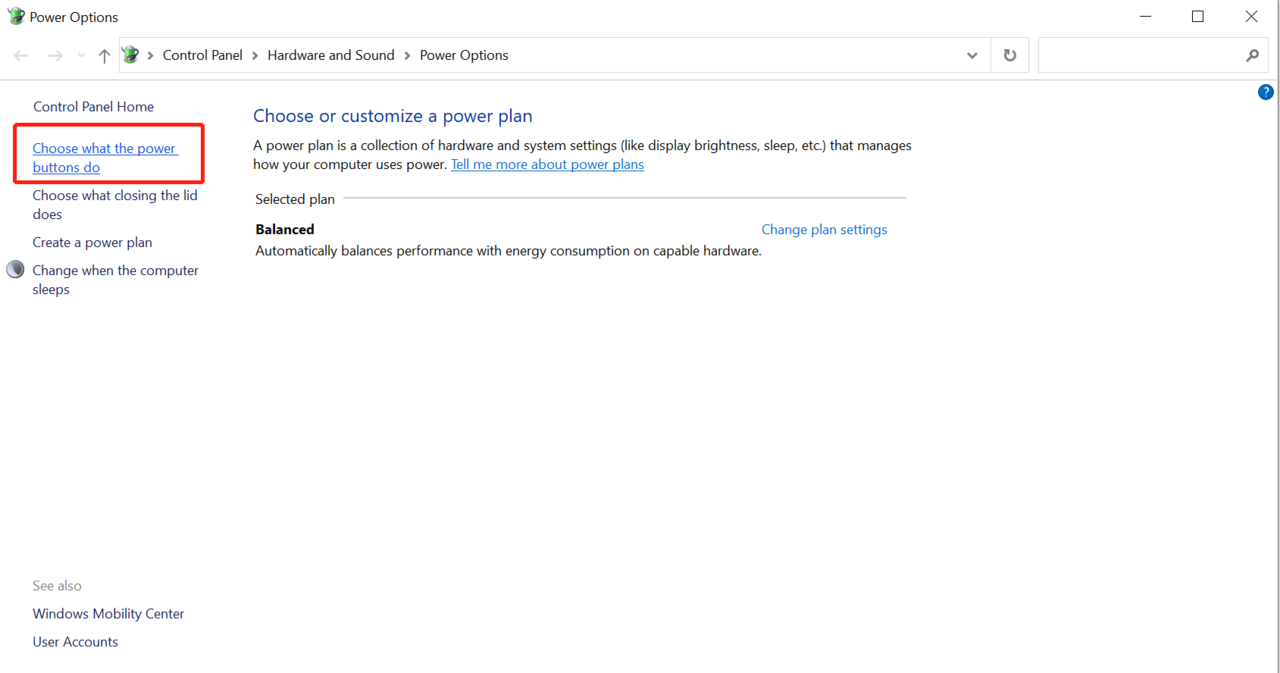
(2)Click power & sleep > Additional power settings > Choose what the power buttons do.
(3)Set "Sleep", "Hibernate" and "Shut down" when pressing the power button, and then click "Save changes".