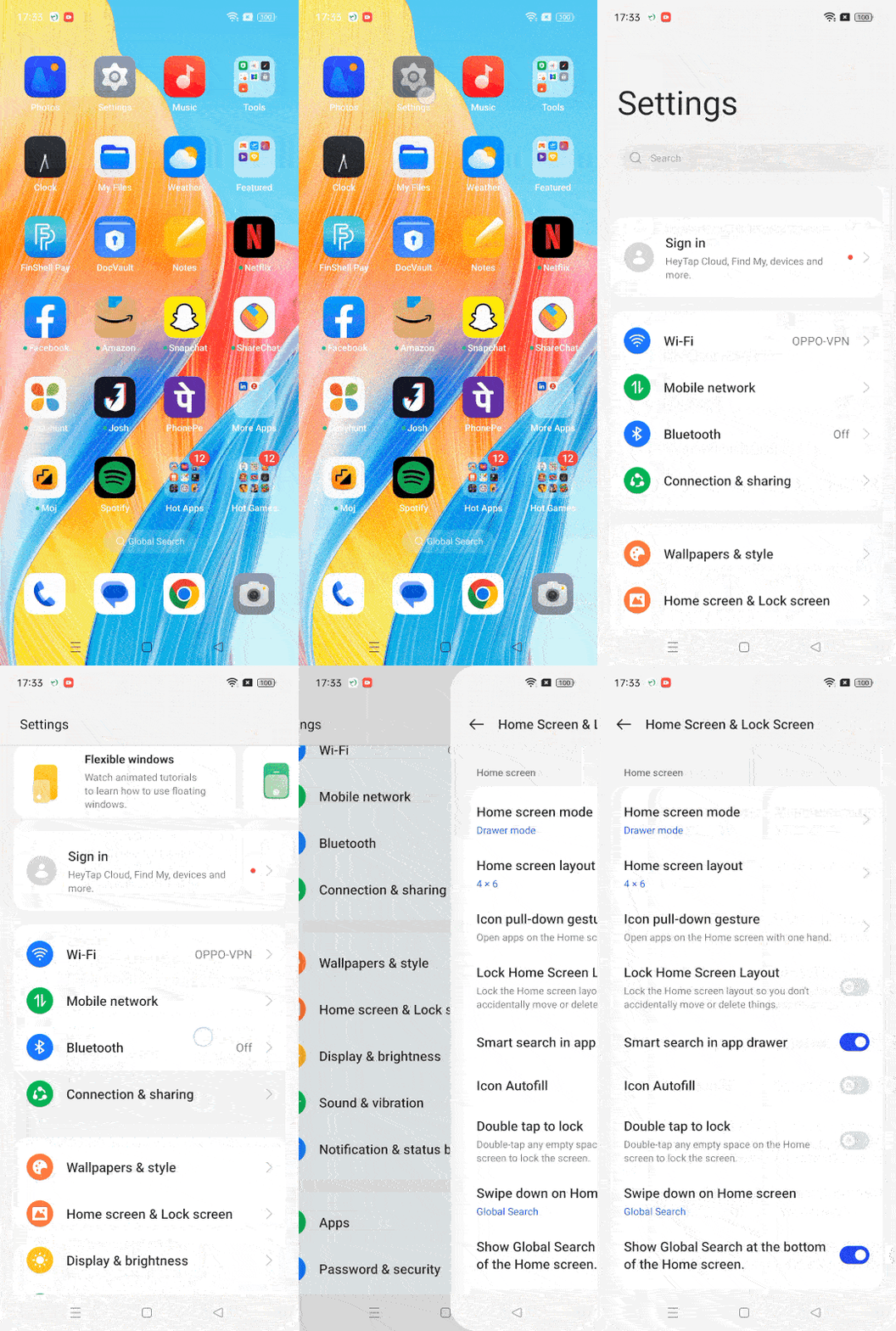
This is a new desktop search function in the system, which supports one-click search for content on multiple platforms. If you need to close it, the closing path is as follows: Settings > Home Screen and Lock Screen > Show Global Search at the bottom of the Home screen (Show search in the lower part of home screen) > Select Close to close the search box.
If you encounter any problems during operation or need further assistance, please feel free to contact us. We will be happy to provide you with help and support.