Instructions:
LHDC and LDAC are currently the industry's best Bluetooth codecs, providing a high-quality music experience for Bluetooth headphones.
The specific listening effects may vary depending on personal preferences. You can compare and choose the codec you believe offers better performance after listening.
High-quality Bluetooth coding (LHDC, LDAC) can only be used if both the mobile phone and the headset support it.
How to Determine if Your Device Supports LHDC 5.0:
1. realme Phones:
If your phone supports LHDC and the system version is 13.1 or higher, then it supports LHDC 5.0.
2. realme Bluetooth Earphones:
realme Buds Air6, realme Buds Air7
Operation method:
1. realme Bluetooth Earphones:
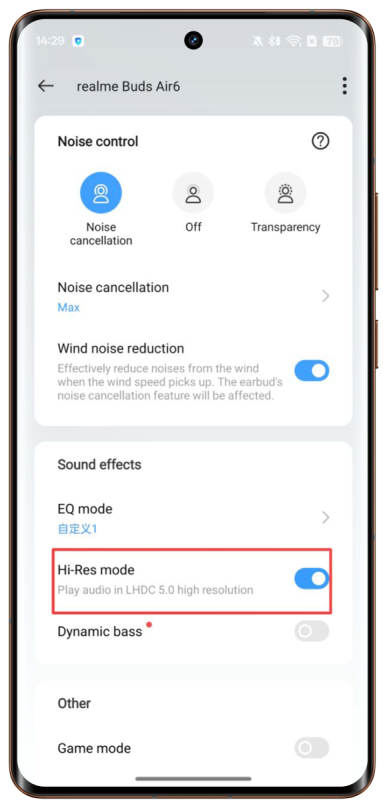
To use high-quality Bluetooth encoding, you need to enter realme Link, add the earphone device, then enter the settings interface of the earphone device and turn on HD sound quality or Hi-Res mode.
2. Other Bluetooth Earphones:
Please consult the customer service of the corresponding earphone brand on how to enable high-quality Bluetooth encoding.