When you don't remember the computer password, you can insert the U disk of the password reset disk, enter the wrong password and click "Reset Password" after power-on, and reset the password according to the instructions.
1. Please connect the U disk device first. Then click the File Explorer icon on the taskbar on the computer side, select "This computer" and check whether the U disk is displayed normally.
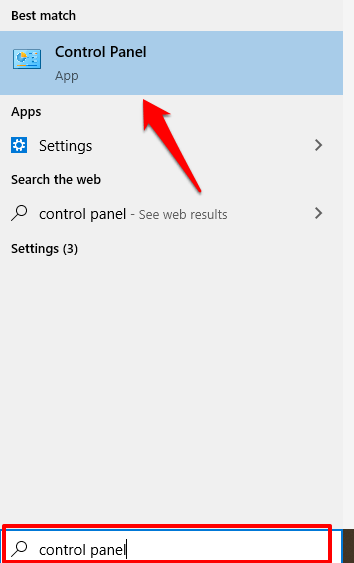
2. Type "Control Panel" in the taskbar search box and open it.
3. Select "User Accounts" in "Control Panel".
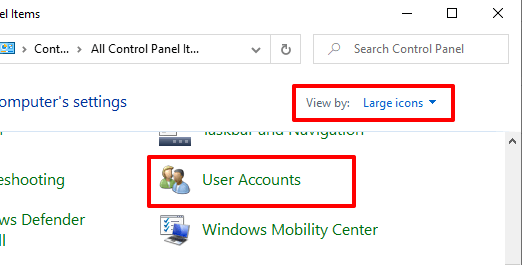
4. Click "User Accounts" in "User Accounts".
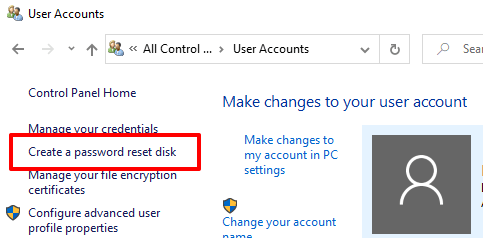
5. Select "Create Password Reset Disk".
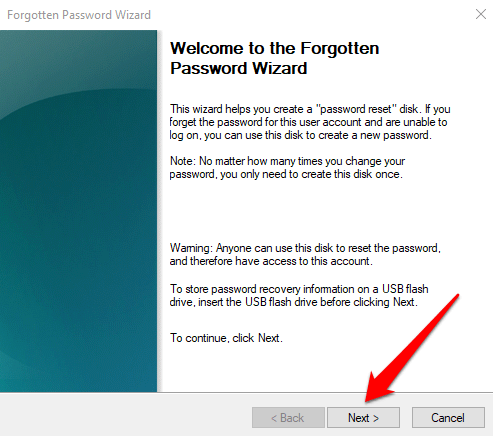
6. The "Forgot Password Wizard" dialog box pops up, click "Next".
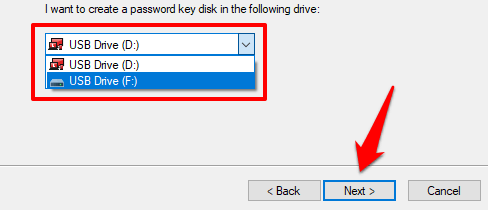
7. Select the inserted U disk, then click "Next".
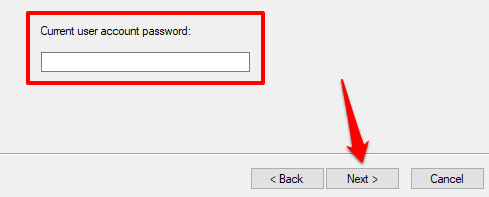
8. To create a password reset disk, you need to enter the current system password, and then click "Next".
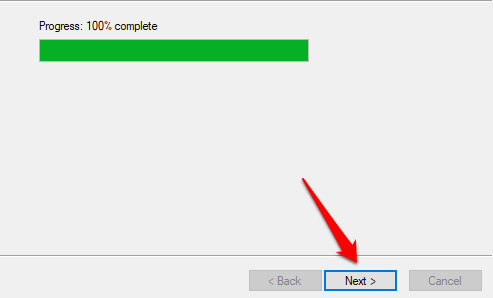
9. The system prompts you to create a password reset disk, then wait until the progress shows 100% and click Next to finish.
Related Articles:
How to set or change a computer password?
How to set a computer sign-in password