Windows Defender is the antivirus software that comes with Microsoft and is automatically updated.
When you start Windows 10 for the first time, Windows Defender will automatically start and scan for malware. Turn on Windows Defender to use a real-time protection program that scans everything that is downloaded or running on your computer.
Note: It is recommended that you use Windows Defender, the antivirus software that comes with Microsoft. Using third-party antivirus software will automatically be disabled and may result in the loss of system files, which can lead to system crashes.
How to turn off real-time protection:
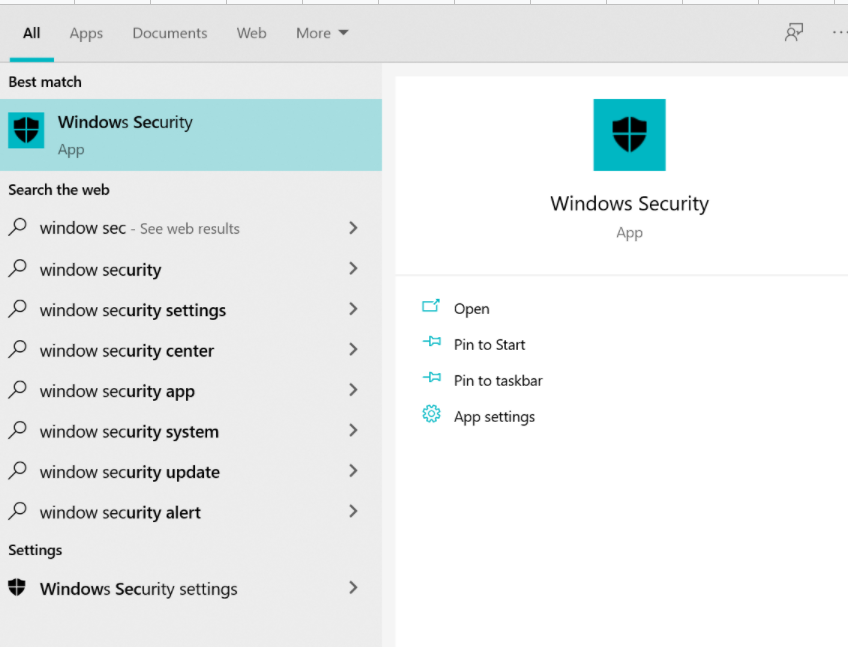
1. Enter windows security center settings in the taskbar search box and open.
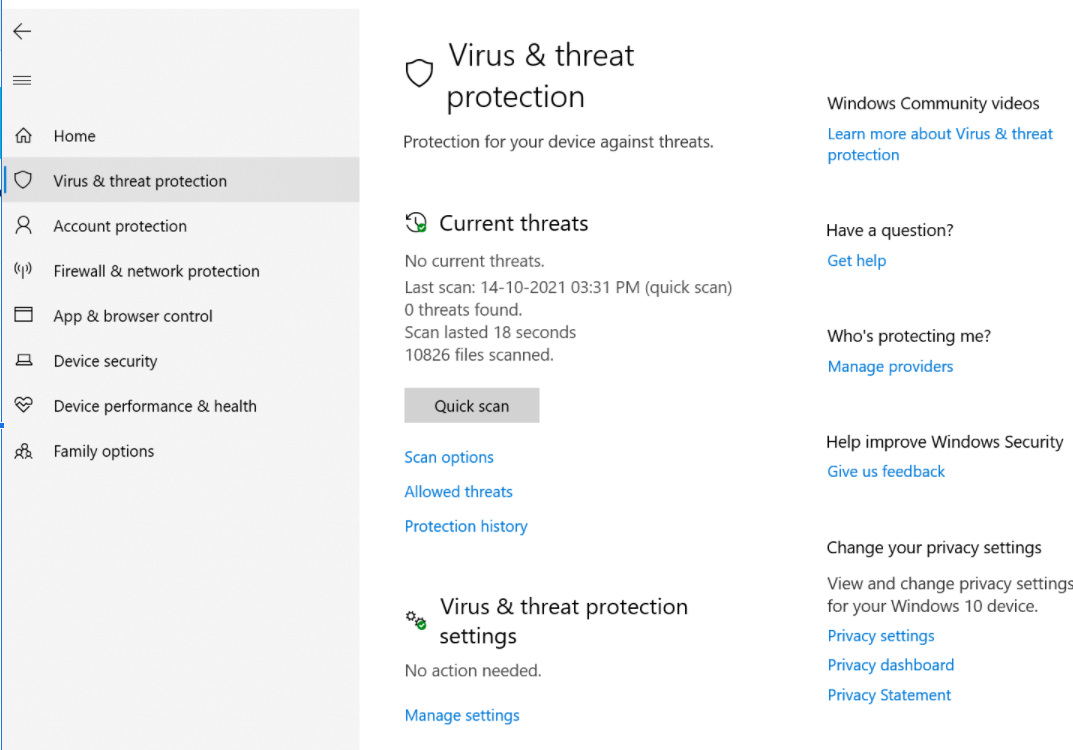
2. Click "Virus and Threat Protection".
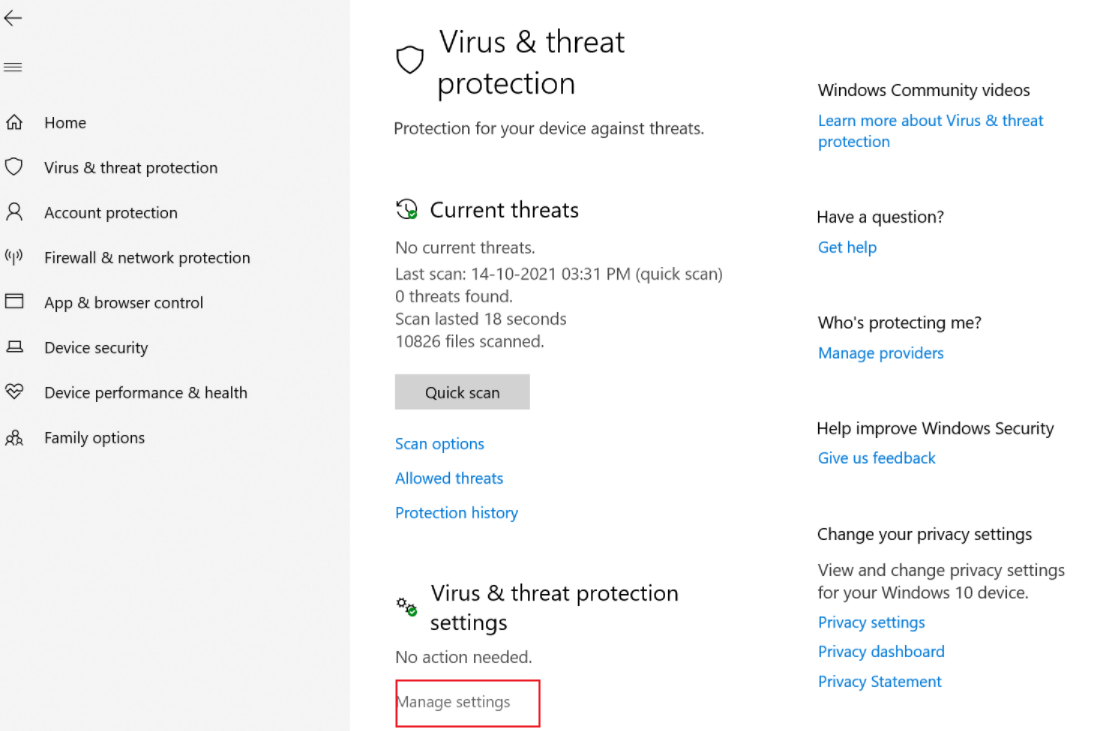
3. Click "Manage Settings".
4. Turn off the switch of real-time protection.
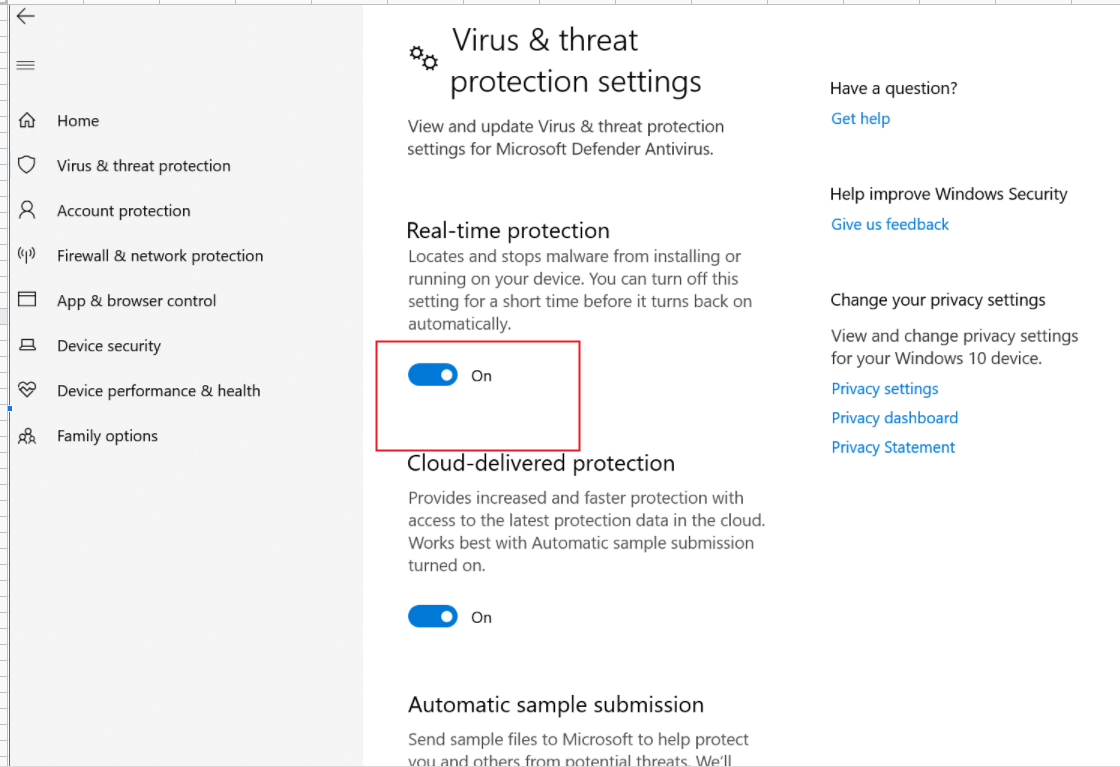
Note: This switch is only temporarily turned off, after a period of use, Windows will automatically turn on real-time protection, it is not possible to permanently turn off this feature.