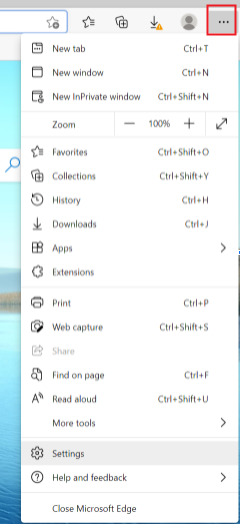
1. Open the Microsoft edge browser ,Click the "More" icon in the upper right corner > "Settings".
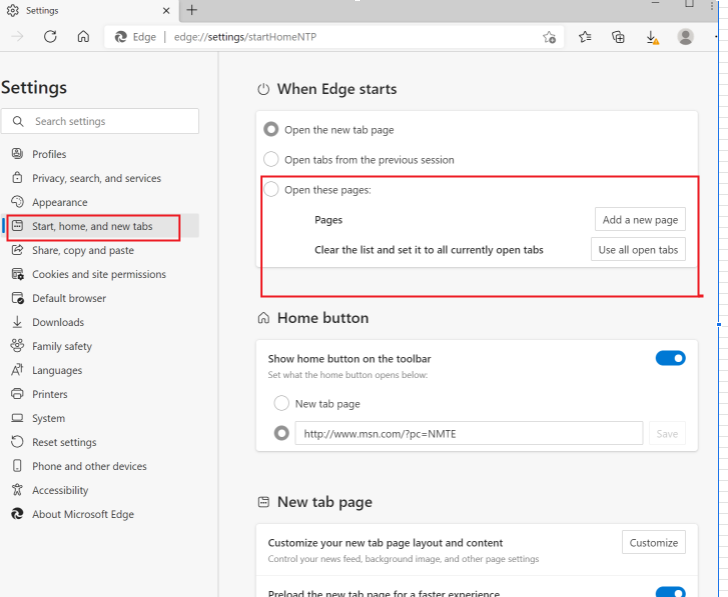
2. Click "Start, home and new tabs", select open there pages, and then click Add a new page.
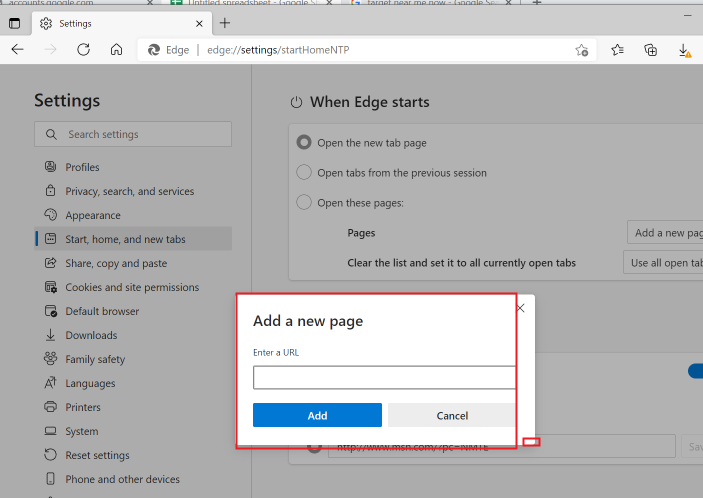
3. Enter the address url and click Add.
4. Close the browser and reopen it, you can see that the settings have taken effect.
Notes:
1. The interface and operation of different or other versions of browsers may be slightly different, please refer to the actual interface.
2. If you want to restore the default settings of your browser, just follow the same procedure, click "On Startup" in step 3 and select "Open new tabs".
3. You can also visit the Microsoft Edge browser website at https://www.microsoft.com/en-us/edge for more details.