realmeparts

How to adjust the font size of the system display in Windows 11

7,962 views
6 likes
Official Source
laptop

Operation steps:

1. Start by opening up the "Settings" from the Start Menu.
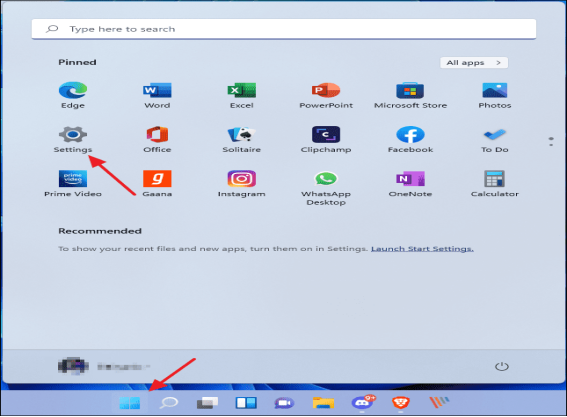
Windows 11 font size settings


2. Click the "Accessibility"and click the "Text size".


3. Drag the slider until the sample text is easy to read, then click "Apply".(System setting is only valid for the system, it's not applied on the third party).
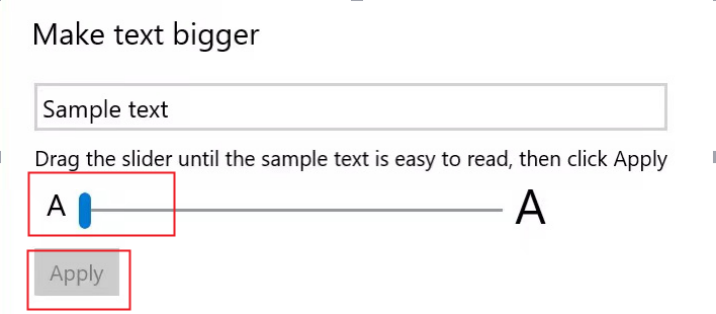
Make Text Bigger


Article Reference

Official Realme documented guide #2042409

View on realme.com

Related Topics

#change font size Windows 11#make text bigger Windows 11#adjust system font Windows 11#increase display text size Windows 11#Windows 11 font size settings#increase system font size Windows 11

Was this article helpful?

Your feedback helps us improve our support content.

Still need help?

Explore more articles or contact our customer support team for personlized assistance.

Visit Support Hub