Blocking unwanted or spam calls can help you avoid nuisance and unwanted communication on your phone. Fortunately, most smartphones offer the ability to block specific numbers, preventing them from reaching you via calls or messages. By blocking a number, you can effectively filter out unwanted contacts and maintain a more peaceful and secure mobile experience. This article will guide you through the process of blocking numbers on your phone.
Occasionally, for a variety of reasons, we want to block or not receive a certain call or text. Having blocked a number means you won't receive calls or messages (SMS or MMS) from that number.
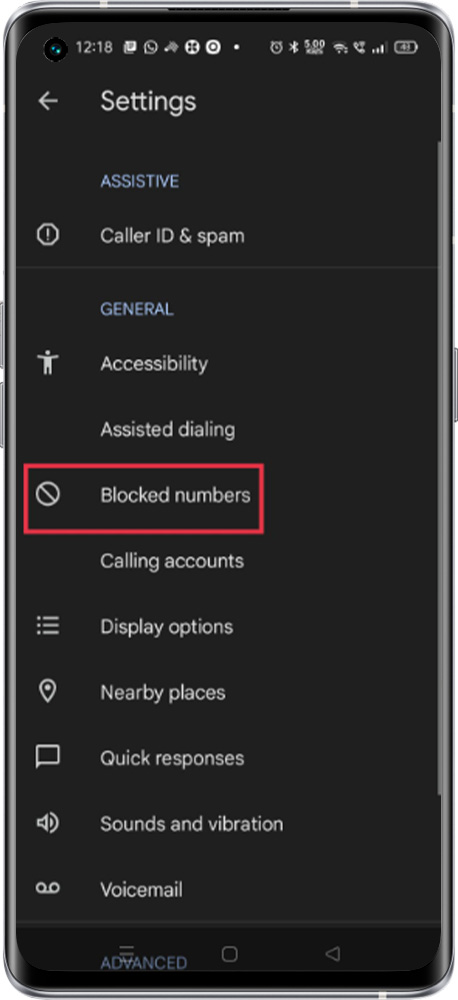
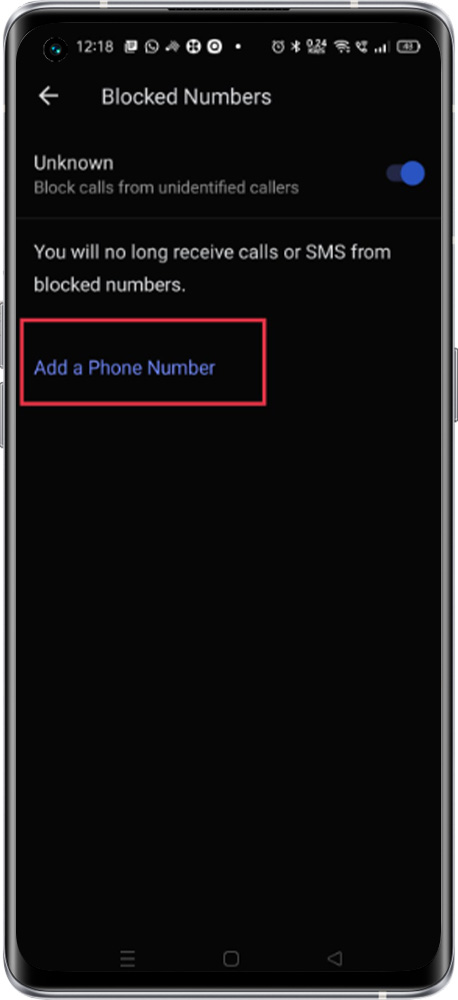
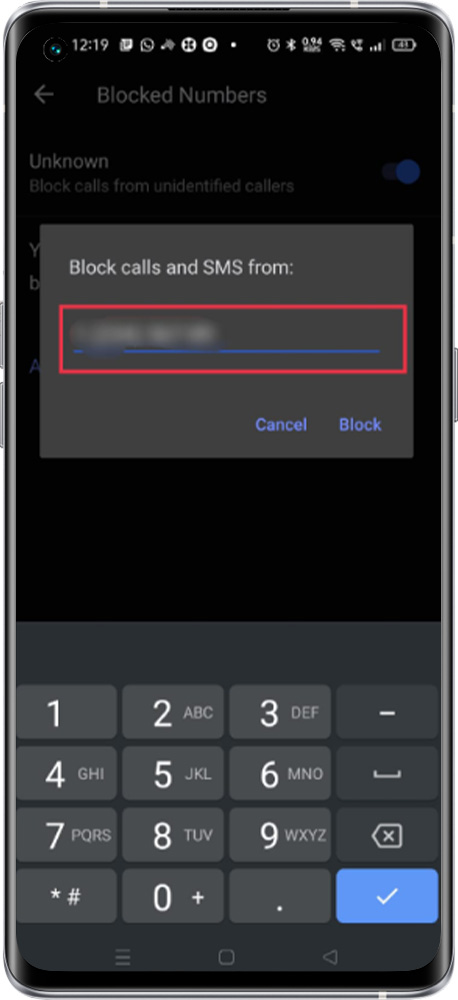
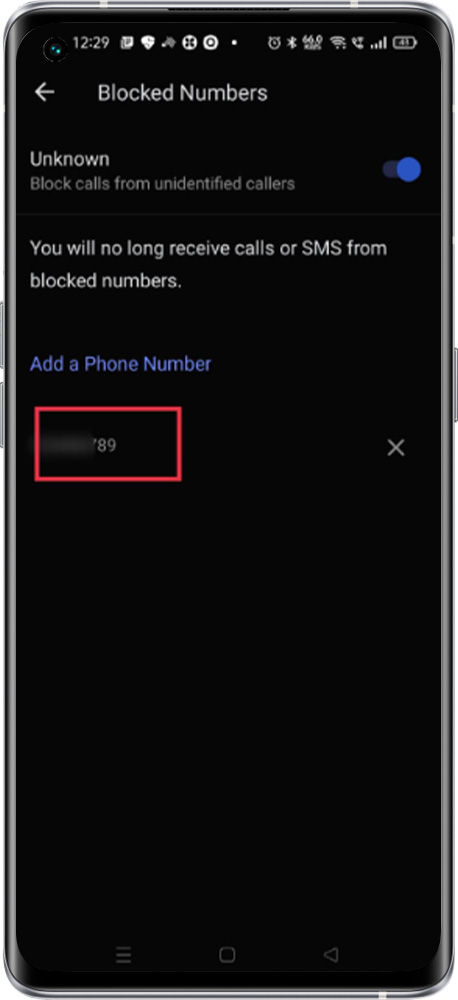
Path: Open the Phone app > Tap More options > Settings > Blocked numbers > Add a Phone number > Type the contact detail to block
Note: To unblock the number, tap the Cross
Block Unknown number
Once enable the "unknown" identified caller will be blocked.