1. Function Introduction
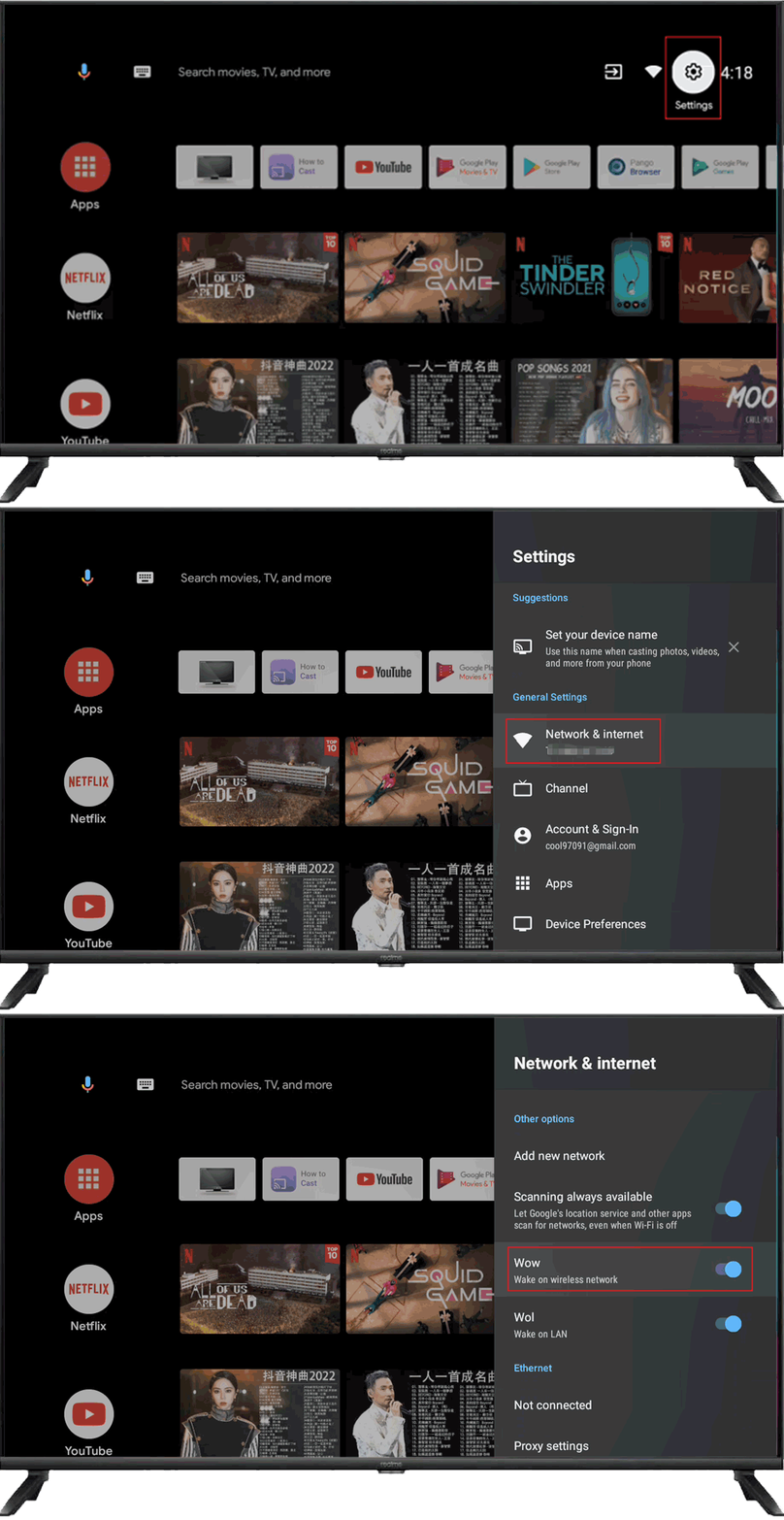
Wow: Wake on the wireless network. Allows the set to turn on via network control wirelessly.
Wol: Wake on LAN. Allows the set to turn on via network control over LAN connection.
Woc: Wake on Chromecast. Woc is enabled when WOW or WOL is turned on. Allows the set to turn on through Chromecast.
2. Operation & Path
Step 1: Click the "Settings" icon or click the "Settings" button on the remote control in the Launcher to enter the "Settings" app.
Step 2: Click "Network&internet" in the "Settings" app.
Step 3: View WOW/WOL/WOC status on "Network&internet"
Note:
1. It isn't applicable to the realme Smart TV Neo 32" due to the system differences.
2. The figure provided is only for illustration; please refer to the actually displayed interfaces and functions.