realmeparts

How to check the User ID of realme account

18,531 views
275 likes
Official Source
phone

From realme Community App:

Steps:

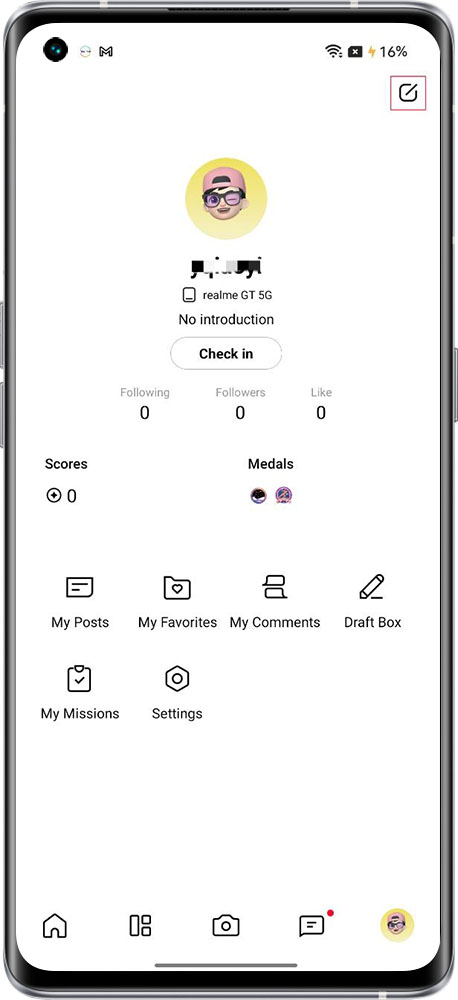
1. Turn on realme Community App, log in and click the avatar(me).

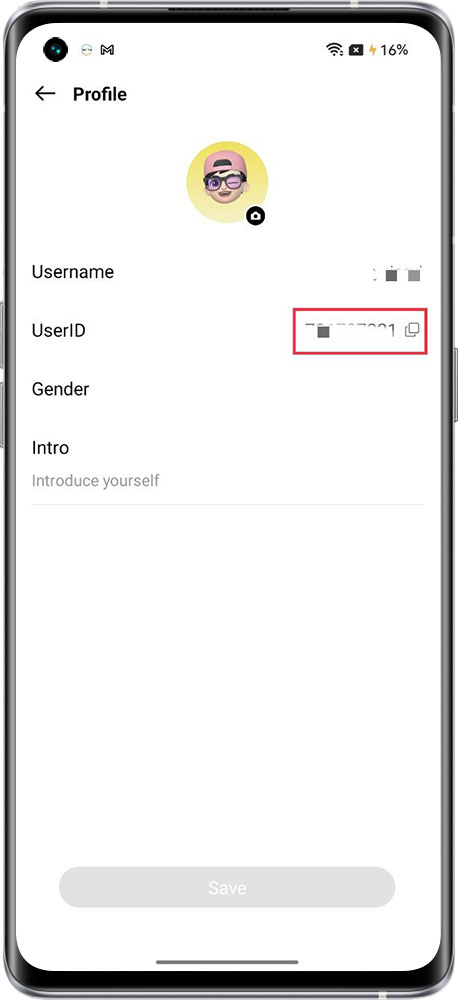
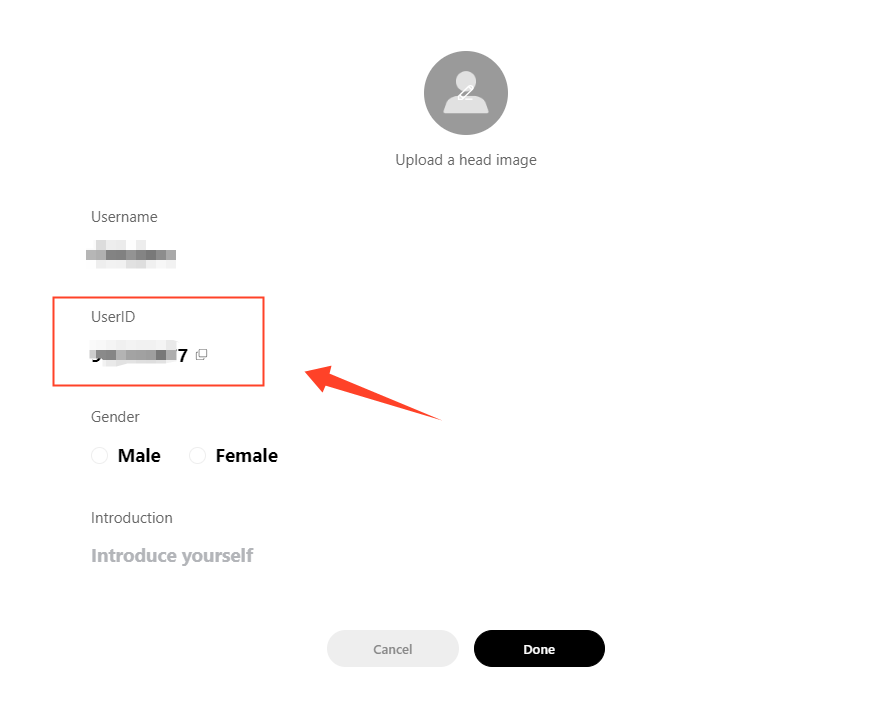
2. Click the edit icon on the top right. Then you can see your User ID.
realme community app account realme account user id


From realme Community website:

Steps:

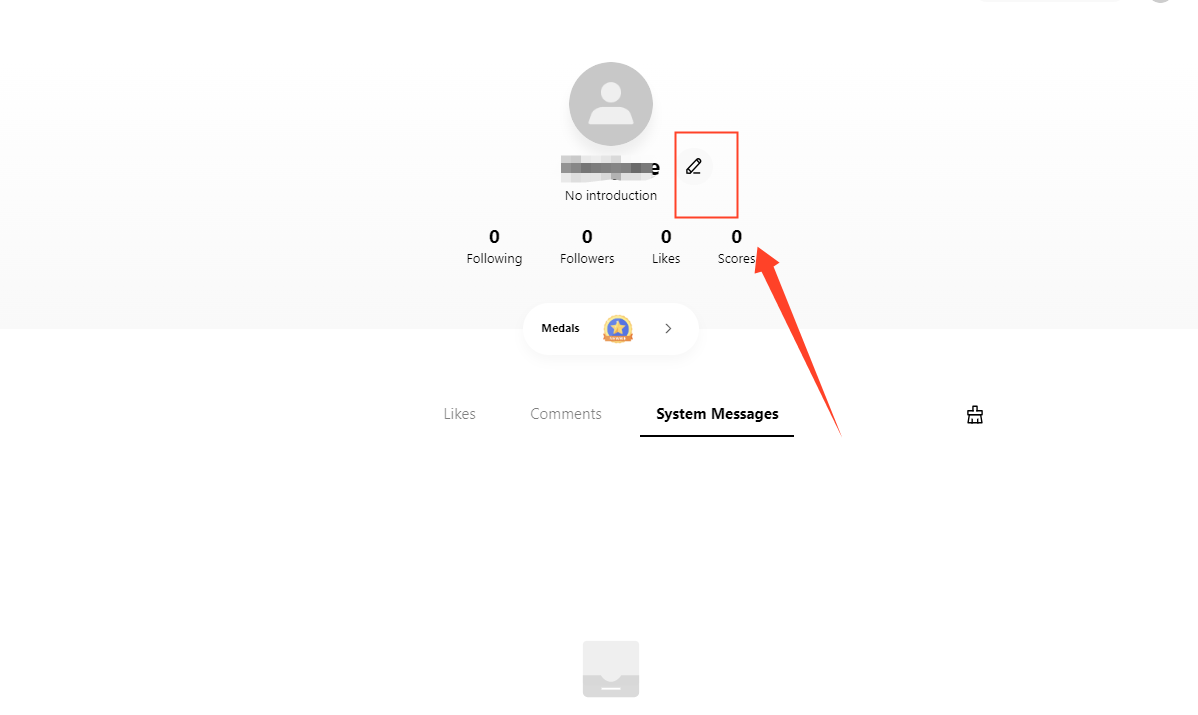
1. Go to realme Community website  https://c.realme.com/in/.

2. Log in to your realme account and click the "Message". 
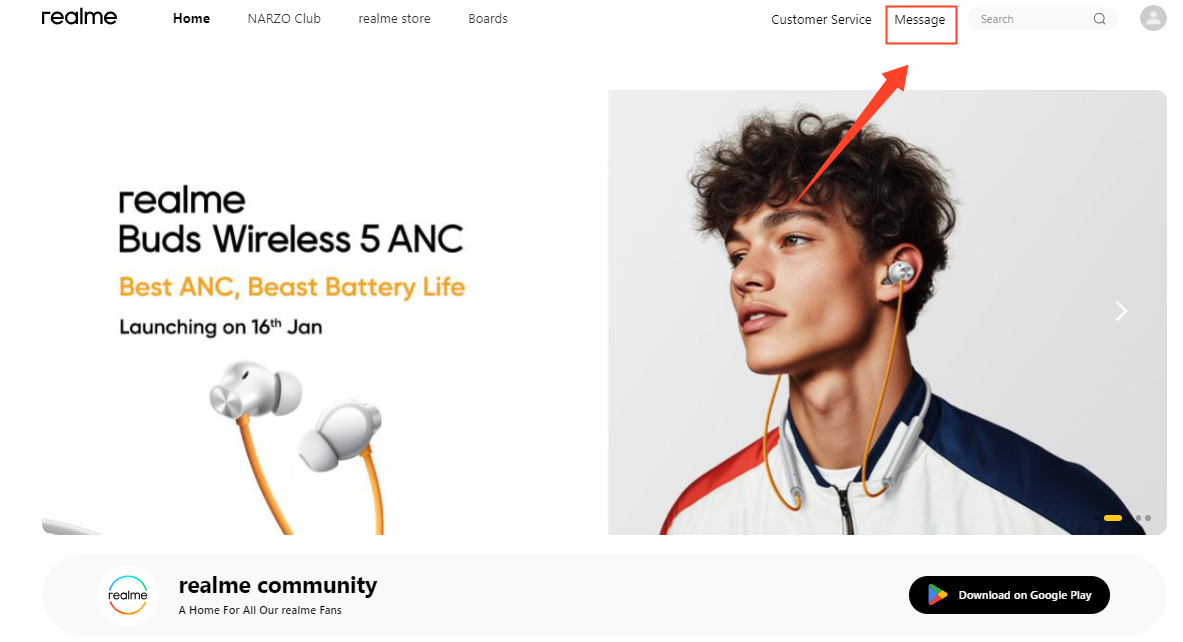
3. Click the Edit icon 


Article Reference

Official Realme documented guide #2099425

View on realme.com

Related Topics

#realme Community#realme account user id#find realme User ID#User ID realme account

Was this article helpful?

Your feedback helps us improve our support content.

Still need help?

Explore more articles or contact our customer support team for personlized assistance.

Visit Support Hub