Problem phenomenon:
When using the keyboard to input under Windows 10, the keys do not match the corresponding characters. For example, if you press the "Y" key, the "Z" character is actually output.
Problem causes:
The keyboard layout is different in each country and region, and the corresponding keys are also different. When the keyboard input does not match the corresponding characters, it may be that the keyboard layout setting is incorrect.
Solution:
Click the "Start" and click "Settings" in the start menu.
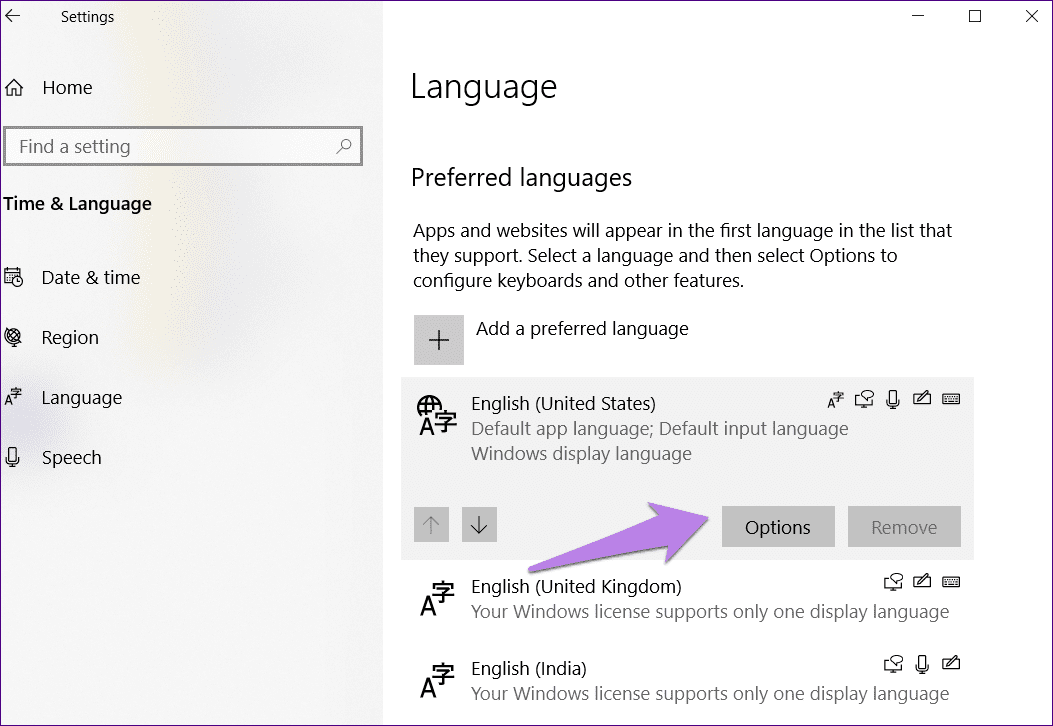
1. Select "Time and Language" on the main page of the Settings window, as shown in the figure below:

2. Click "Manage Language Settings" in the "Language" option, and select "Matches the Windows display language" in the "Format", as shown in the figure below.

3. On the "Management" menu page, click "Change System Locale", select the "Current System Locale", and then click "Confirm" in the corresponding window interface to complete.
Note: If the above solutions cannot be solved, please back up the data, restart the laptop and continuously press F8 to enter safe mode, select Troubleshooting, and restore factory settings. If it still doesn't work after restoring the factory settings, please back up the data and bring the relevant purchase certificate to realme Service Center for testing.
Related Articles:
realme laptop's keyboard backlight is not on