Problem Phenomenon:
The cursor is not showing/Disappearing on realme laptops.
Solution:
1. Press the Windows + S keys to open the search.
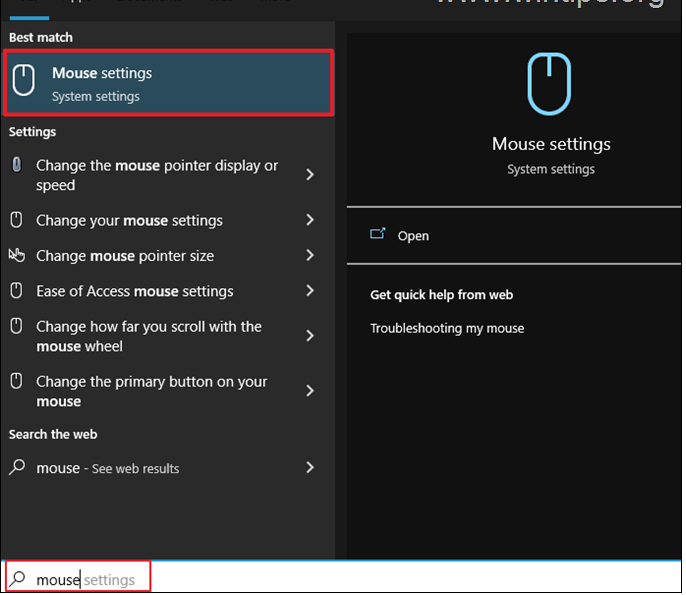
2. Type mouse and then press Enter to open Mouse Settings.
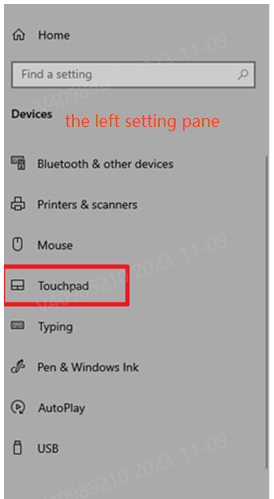
3. Now press the Tab key repeatedly until you go to the left setting pane and then using the DOWN arrow key navigate to Touchpad and hit Enter.
4. Finally, press again the Tab key repeatedly until you go to the Touchpad switch and press Space to turn on the Touchpad.

5. Please restart your laptop to try again.
If the above methods do not solve your problem, please back up your data in advance and go to the nearest realme Service Center with your purchase certificate for testing.