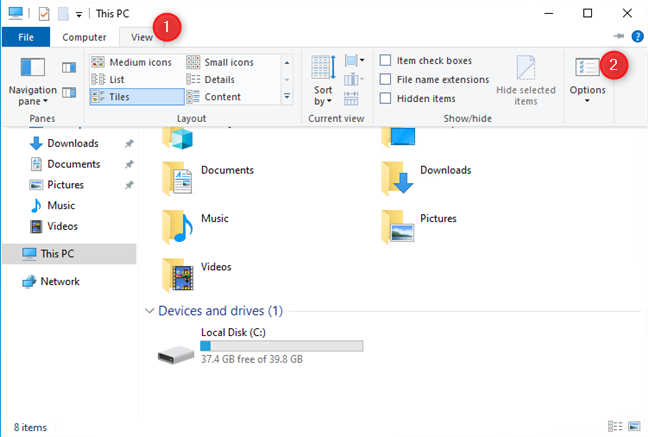
1. Right-click the Windows icon on the desktop and click File Explorer.
2. Select View > Options on the menu bar to pop up the Folder Options dialog box.
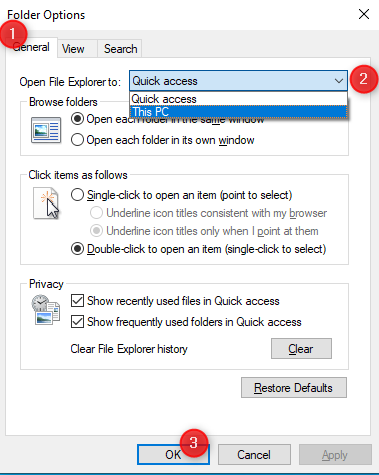
3. Under the General tab, select This PC in Open File Explorer and click OK.
1. Right-click the Windows icon on the desktop and click File Explorer.
2. Select View > Options on the menu bar to pop up the Folder Options dialog box.
3. Under the General tab, select This PC in Open File Explorer and click OK.
Article Reference
Official Realme documented guide #2071415
Your feedback helps us improve our support content.
Explore more articles or contact our customer support team for personlized assistance.
Visit Support Hub