Problem phenomenon:
The Microsoft system requires that the new Windows 11 Home Edition PC must be connected to the Internet and logged into a personal Microsoft account for the first time. The Microsoft account registered under the boot guide page is vulnerable to network instability, system update, page failure, etc., resulting in failure to take the next step.
Solution:
You can register a Microsoft account in advance through your phone and log in directly after the new PC is connected to the Internet.
Operation steps:
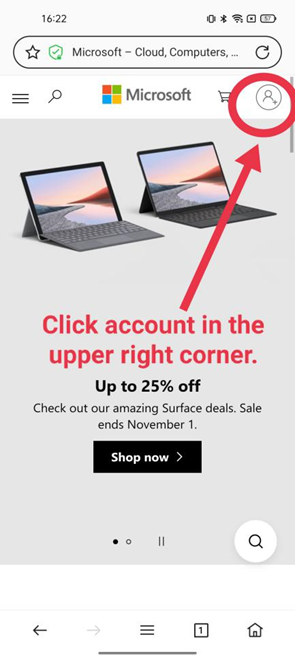
1. Open the mobile browser, and enter the Microsoft official website for search. After opening the home page, click the account icon in the upper right corner.
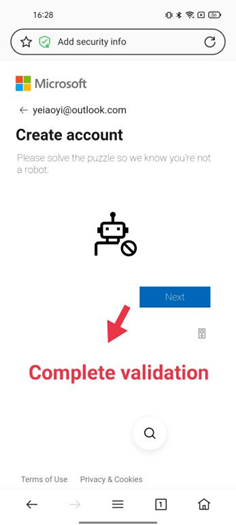
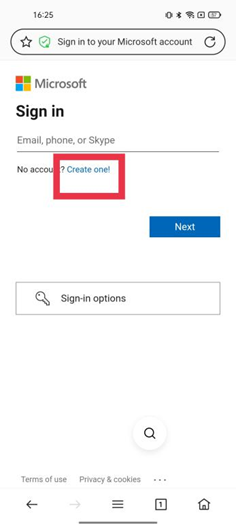
2. Register a Microsoft account, and it is recommended to preferentially select the mailbox with the default Outlook suffix (you can skip the step of verifying the mailbox or phone number).
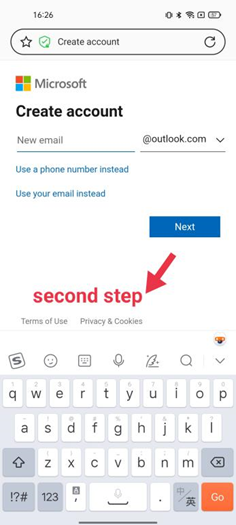
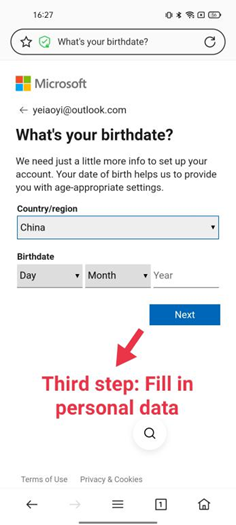
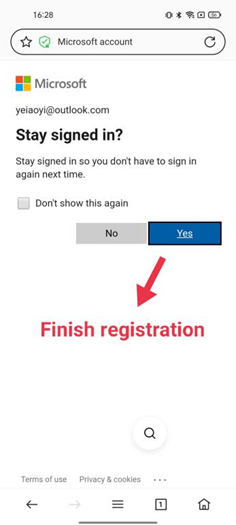
3. Complete the Microsoft account registration on the phone. You can log in directly to the computer.