Steps to check blocked Messages :
1. Open the Message app.
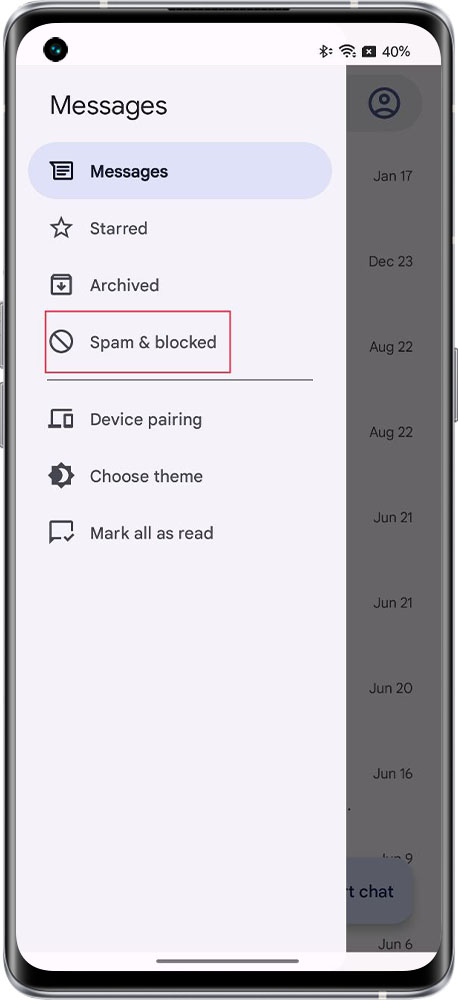
2. Tap more settings on top left > Spam & blocked. All the Spam& blocked conversations appear here.
Related Articles:
1. Open the Message app.
2. Tap more settings on top left > Spam & blocked. All the Spam& blocked conversations appear here.
Related Articles:
Article Reference
Official Realme documented guide #2184704
Your feedback helps us improve our support content.
Explore more articles or contact our customer support team for personlized assistance.
Visit Support Hub