realmeparts

How to show Hibernate in the Power button of the Start menu

1,626 views
3 likes
Official Source
laptop

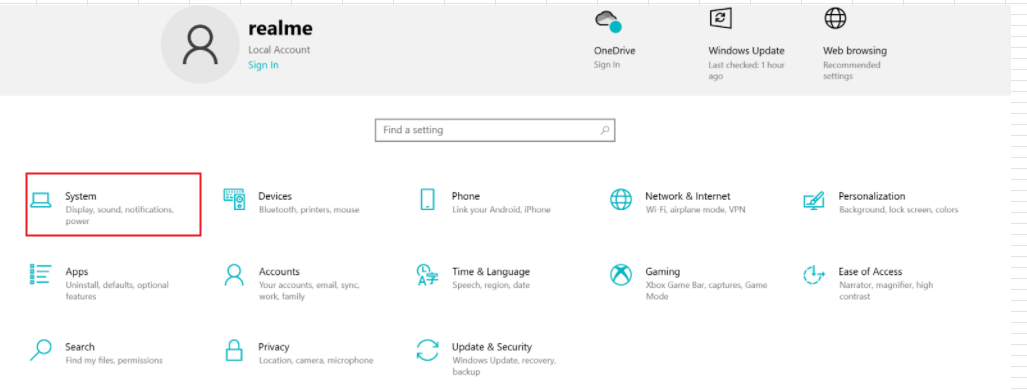
1. Click the Windows icon Settings icon and select System.

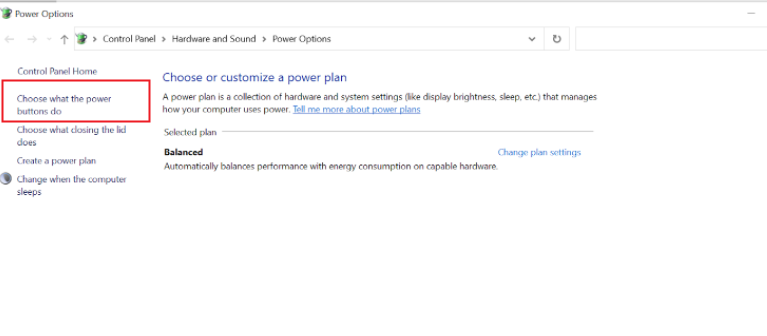
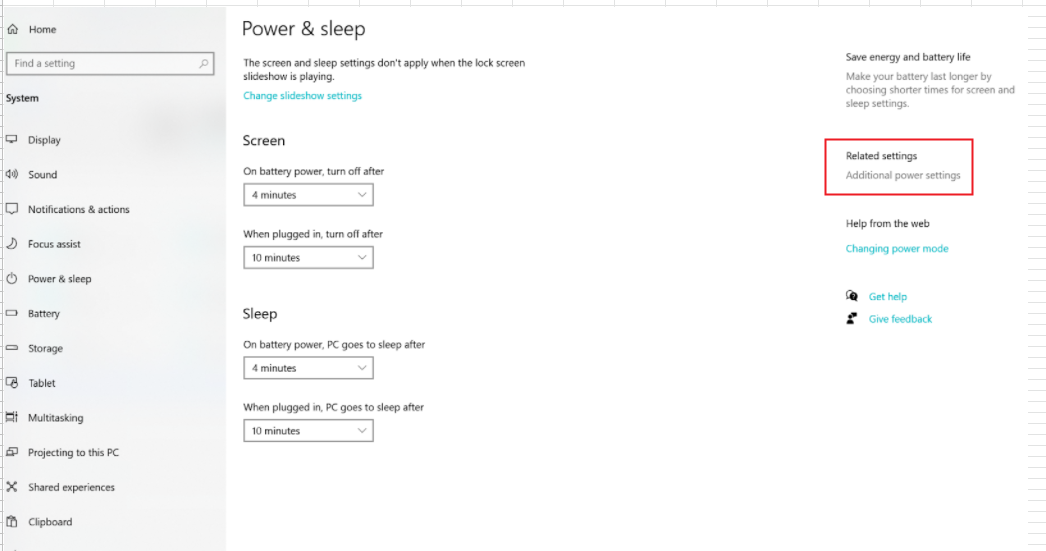
2. Click Power & Sleep > Additional Power settings > Select Choose what the power buttons do.

3. Click to Change settings that are currently unavailable.
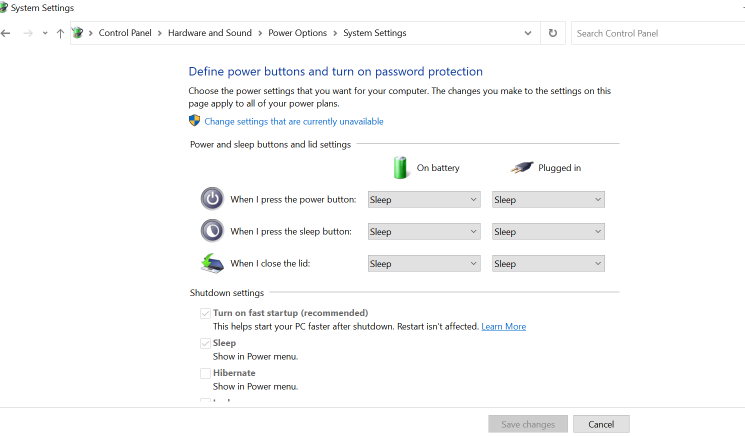


4. Check the Hibernate box and click Save Changes.
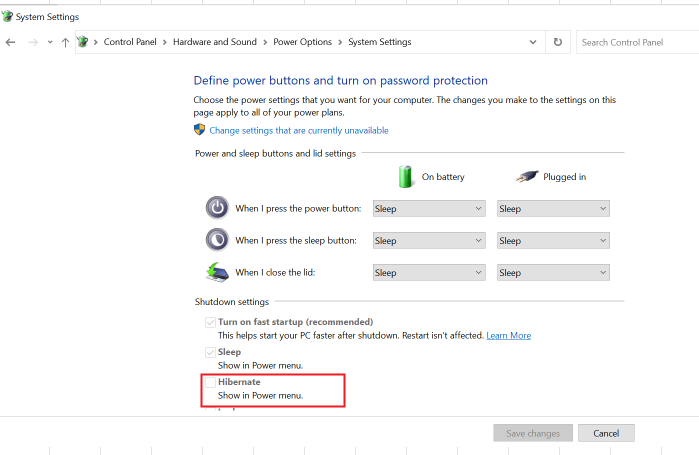

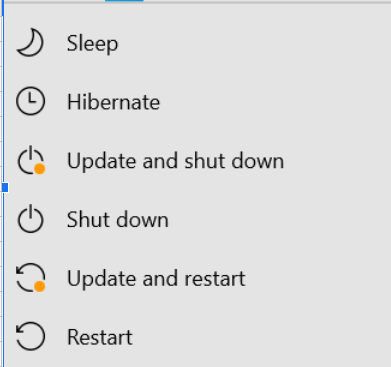
5. After settings, click the Windows icon > Power icon and the Hibernate option will appear in the On/Off option.


Article Reference

Official Realme documented guide #2042645

View on realme.com

Related Topics

#laptop hibernate#enable hibernate windows#show hibernate option in start menu#access hibernate mode windows#hibernate power options windows

Was this article helpful?

Your feedback helps us improve our support content.

Still need help?

Explore more articles or contact our customer support team for personlized assistance.

Visit Support Hub