Operation steps:
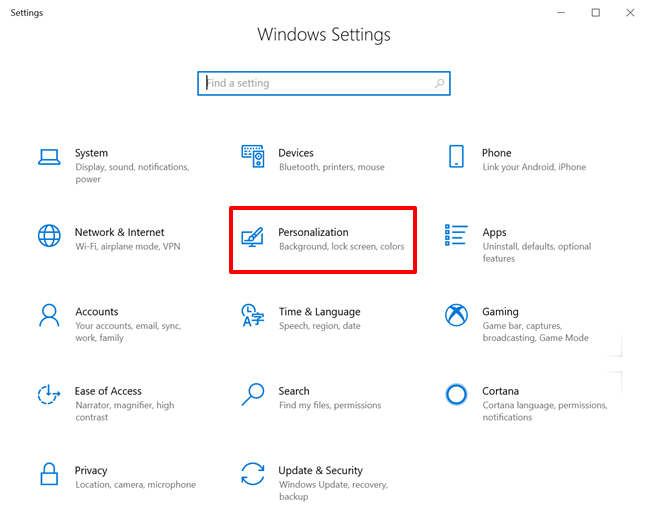
1. Click the Start icon and select Settings > Personalization.
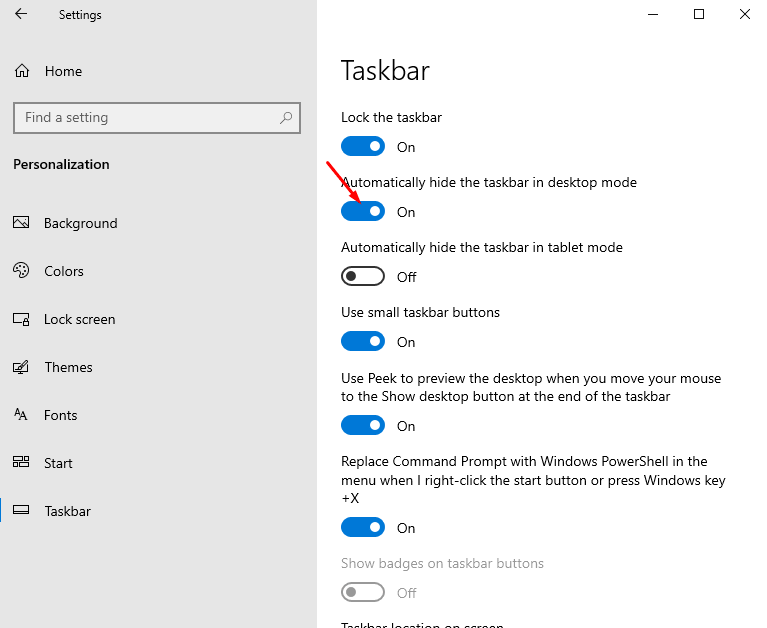
2. Click Taskbar to enable or disable Automatically hide the taskbar in desktop mode.
Related Articles:
How to reset your Windows 10 laptop?
How to display icons in Windows 10, Windows 11?