Problem phenomenon:
1. Without playing audio will also appear sizzling sound.
2. There are popping sounds when playing audio.
3. There is no noise when the volume is low, but only when the volume is high.
4. External earphones also have noise.
Causes:
1. The audio driver files are damaged.
2. The notebook suffers from electrical interference.
3. The speaker or sound card is damaged.
Solutions:
1. Reinstall the audio driver
1) Go to the realme website to download and reinstall the audio driver.
Link: https://www.realme.com/in/support/software-update
2) Select the driver of the corresponding model to download.
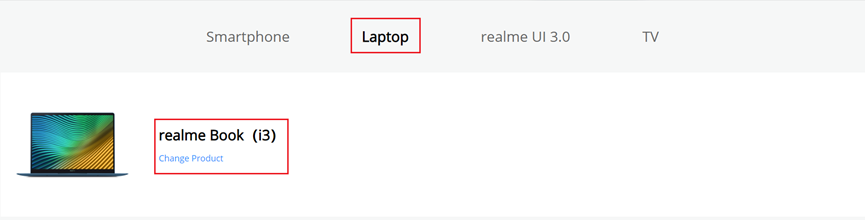
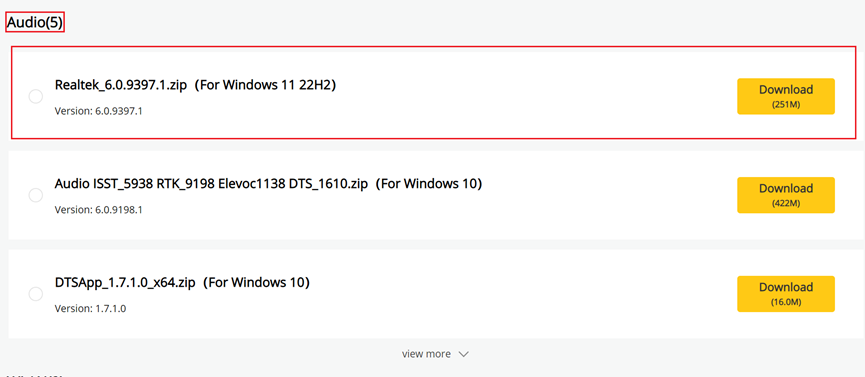
3) After downloading the package, decompress it and install the driver according to the README file in the folder.
4) If the fault persists, perform the following operations.
2. Change the location of the computer
1) Replace the socket that supplies power to the computer.
2) Ensure that there are no devices (such as routers and phones) that may cause electrical interference next to the laptop. Try to change rooms to use laptops.
3) If the fault persists, perform the following operations.
3. Reset the system
Try to reset the system.
4. Go to service center for testing
After the above steps, the computer speaker still makes noise. Please visit the service center to test the device.
Related Articles:
How to reset your Windows 10 laptop?
How to reset your Windows 11 laptop?