realmeparts

How to turn game mode on or off in Windows?

6,760 views
42 likes
Official Source
laptop

When you turn on Game Mode, the system optimizes your gaming experience. When your computer runs a game, Game Mode will:

1. Prevent Windows Update from performing driver installations and sending restart notifications.

2. Help to achieve a more stable frame rate depending on the specific game and system.


Turn Game Mode on or off:

1. Click the Windows icon > Settings icon.
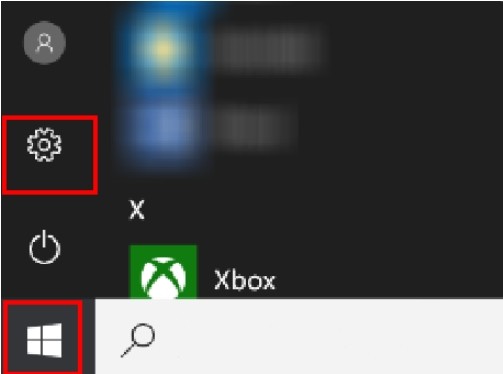

enable or disable game mode in Windows 10


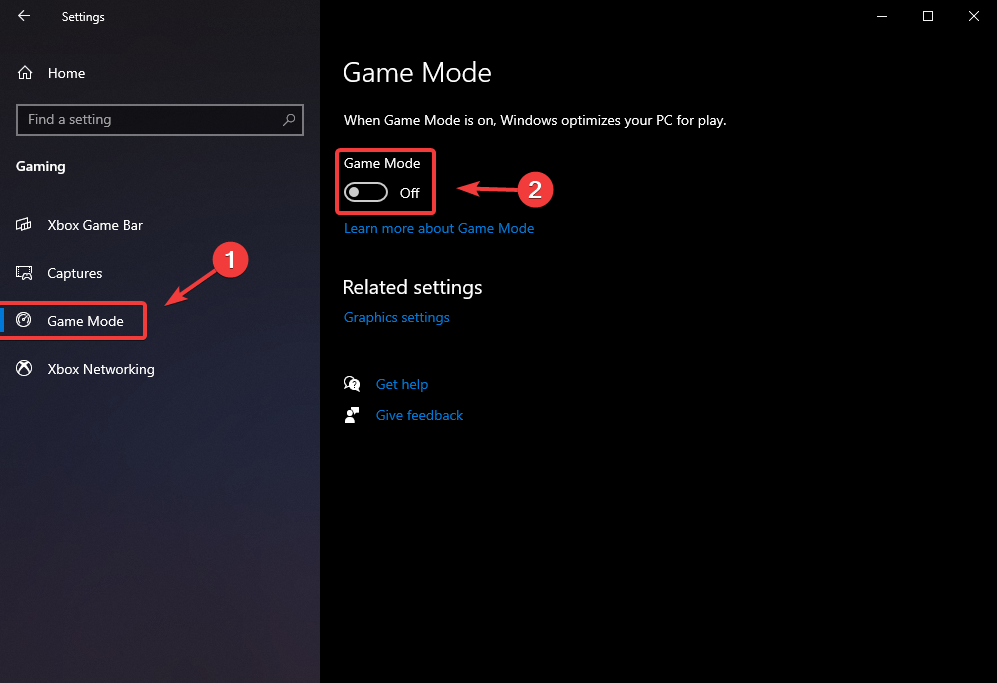
2. Choose "Gaming > Game Mode" and turn the "Game Mode" switch on or off.
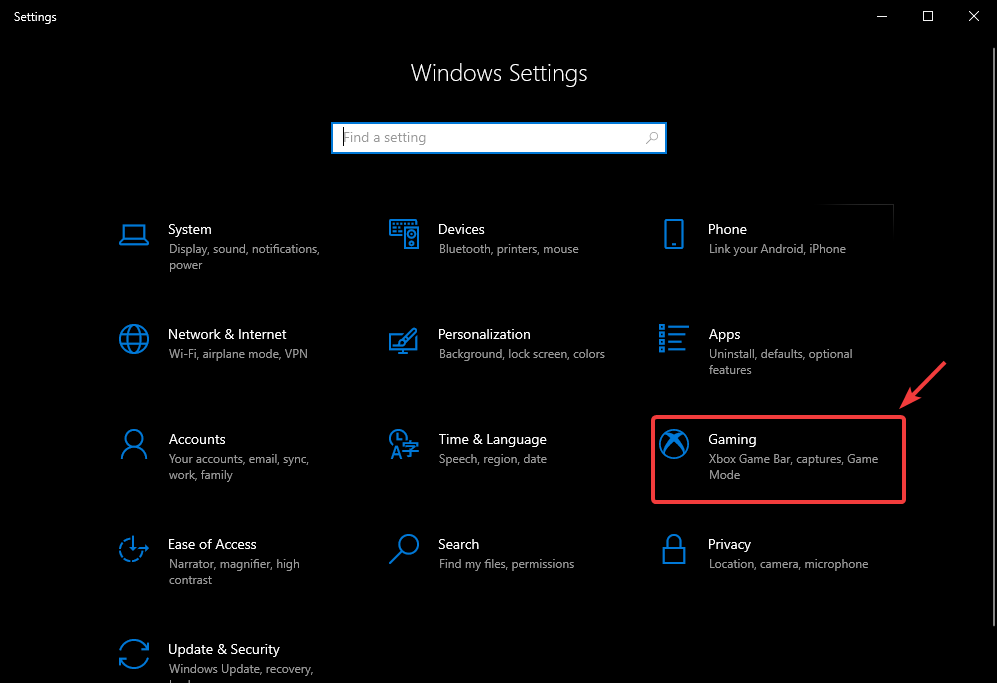
game mode  in laptop


Article Reference

Official Realme documented guide #2071414

View on realme.com

Related Topics

#enable game mode in Windows#turn game mode off in Windows#game mode in Windows 10 or 11#Windows 11 Game mode#Windows 10 game mode#turn on or off game mode in windowns 11 or windows 10

Was this article helpful?

Your feedback helps us improve our support content.

Still need help?

Explore more articles or contact our customer support team for personlized assistance.

Visit Support Hub