realmeparts

How to use the Power button to end the call

29,696 views
15 likes
Official Source
phone

It is quicker and easier to end a call by using your device's power button than the on-screen buttons. 


Method 1:

realme UI 1.0 & above versions: Settings > Search "Press Power Button to End Call" > Enable Press Power Button to End Call.

realme UI R & S Edition: Settings  > Accessibility > Enable Press Power Button to End Call.

realme UI T & Go & U Edition: Settings  > Accessibility > System controls > Power button ends call.

Method 2: 

To enable the option please follow the below step

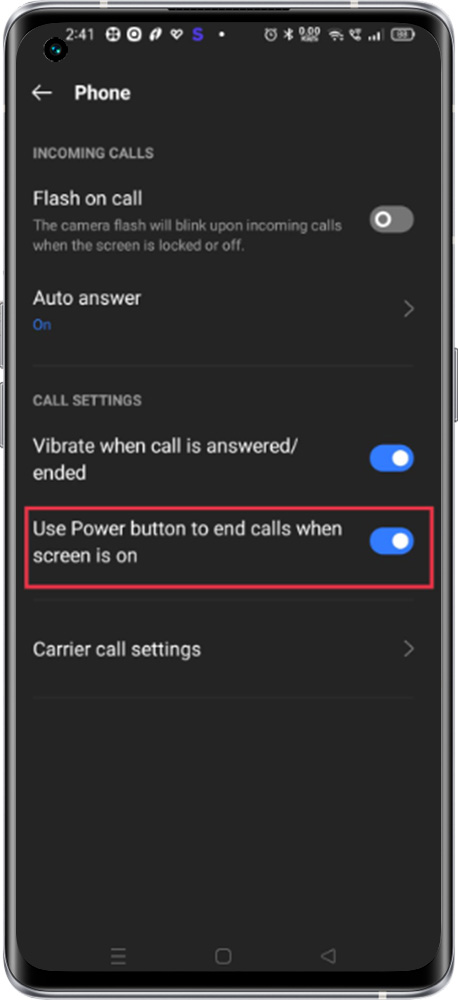
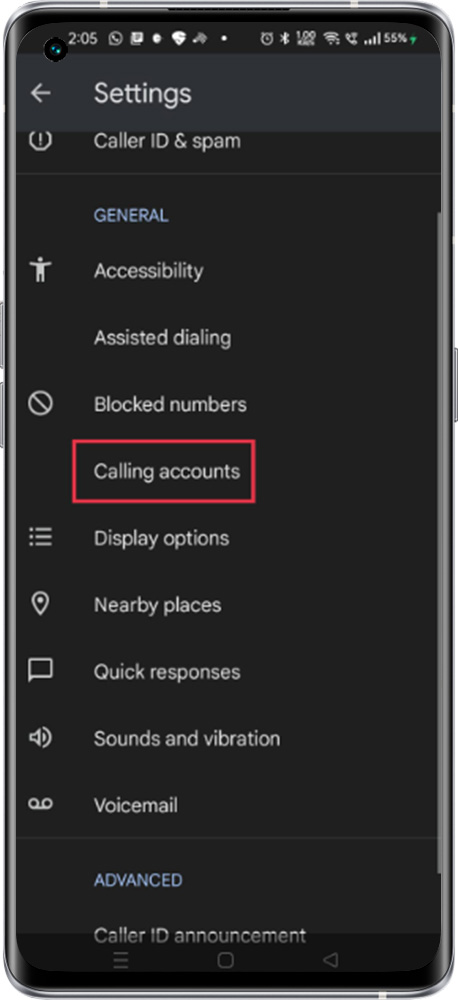
Open the Phone app > Tap More options > Settings > Calling Accounts > Turn” Use the Power button to end calls when the screen is on” on or off

Note: Use the power button to end the call when the screen is on.


Article Reference

Official Realme documented guide #2082978

View on realme.com

Related Topics

#Press Power button to end calls#power button to end call#power button to disconnect the call#call disconnect using power button#power button end call setting

Was this article helpful?

Your feedback helps us improve our support content.

Still need help?

Explore more articles or contact our customer support team for personlized assistance.

Visit Support Hub