I. What is TTY mode?
A TTY (teletypewriter) is a device that helps people who are deaf, speech-impaired, or hard of hearing use a phone to communicate. A user with a speech impairment can type a message on the TTY machine and the machine will send the message through a phone line or mobile signal. For users with hearing impairments, the TTY machine will turn voice messages into text messages so the user can read them.
II. How to use TTY mode?
realme UI 3.0 and above versions: Not support TTY mode, but you can use Accessibility feature of the phone.
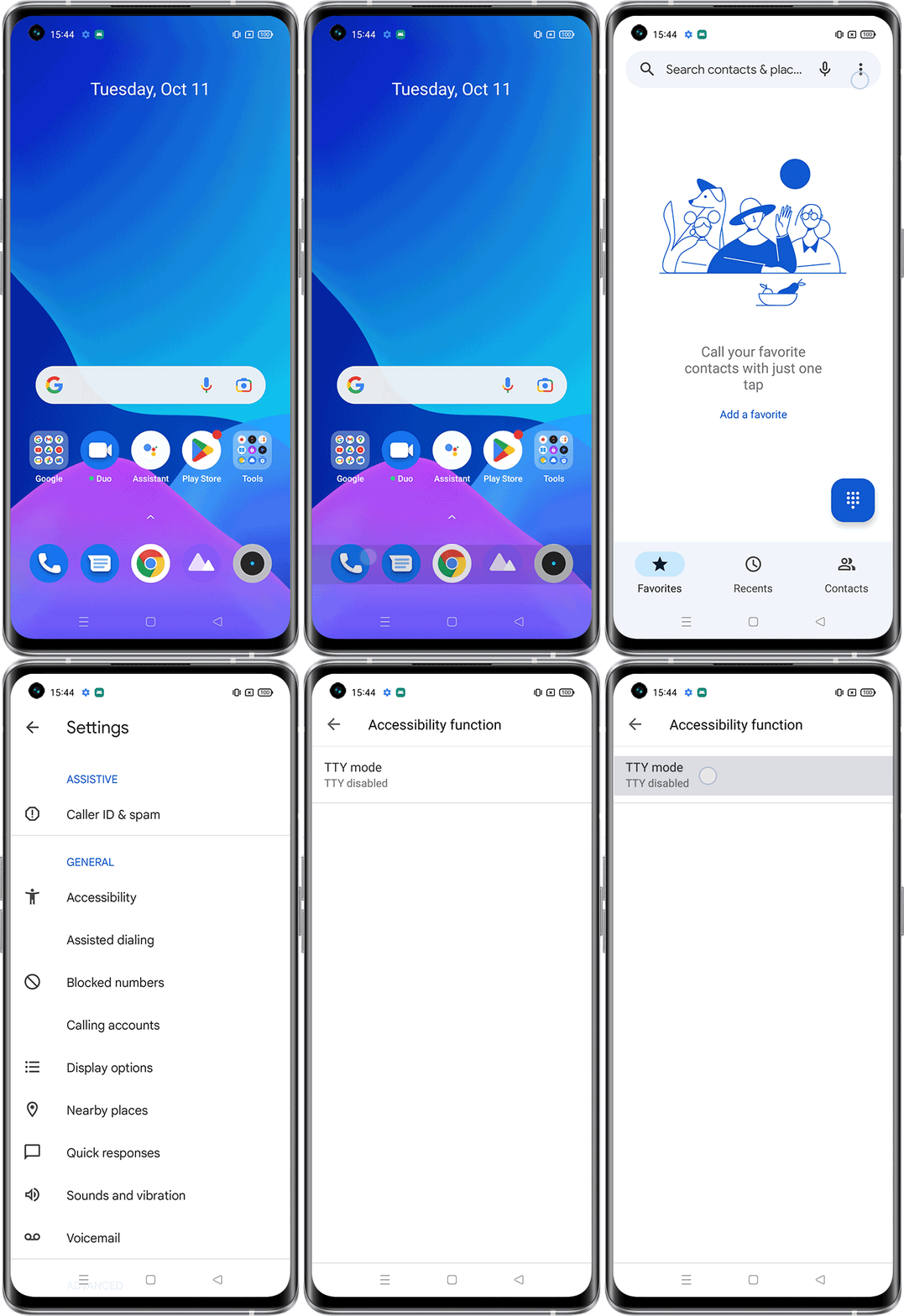
realme UI 1.0 and 2.0: Phone app > click dots on the upper right corner > Settings > Accessibility > TTY mode > Select the desired TTY mode
realme UI R & Go & S & T Edition: Phone app > click dots on the upper right corner > Settings > Accessibility > TTY mode > Select the desired TTY mode
To turn TTY mode off, select TTY off from the TTY mode menu.
Note: If TTY mode is on, some phones cannt take or make voice calls. Some other features of your phone may also not work. Therefore, if you do not really intend to use TTY terminal, you should keep TTY mode off.
III. Three different TTY modes
TTY Full:
It allows both the sender and receiver to communicate through TTY messages. The two-way communication will take place through TTY.
TTY VCO:
The Voice Carry Over (VCO) option is for hearing-impaired users who can send messages through voice but need to receive messages on a TTY text display.
TTY HCO:
The Hearing Carry Over (HCO) is for users who can receive voice messages but need to send text messages.