Voicemail is a feature that can send voicemail to a user when the user’s phone switches off or is not reachable. Below is the process to activate this feature.
Setting path:
To enable the option, please follow the steps below:
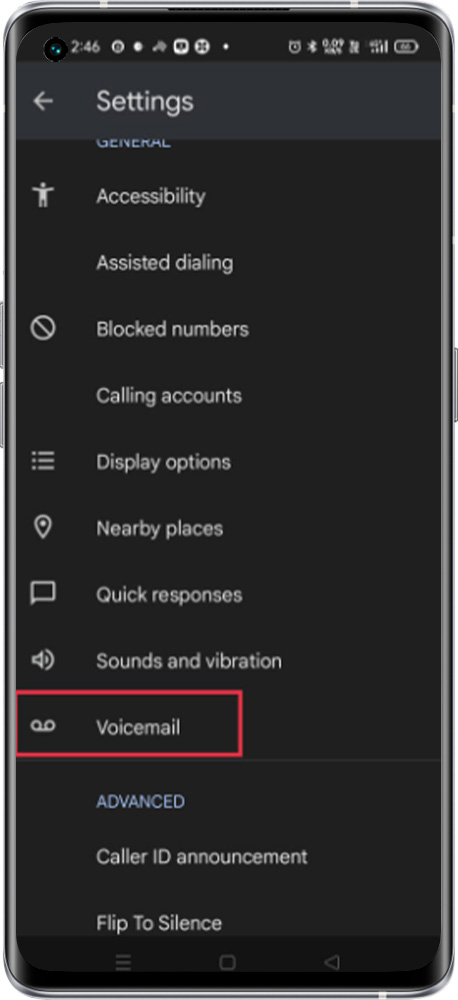
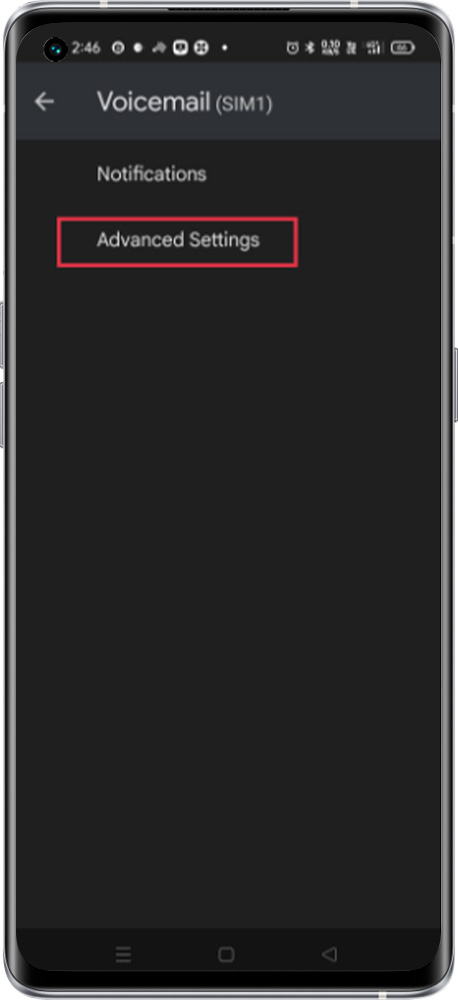
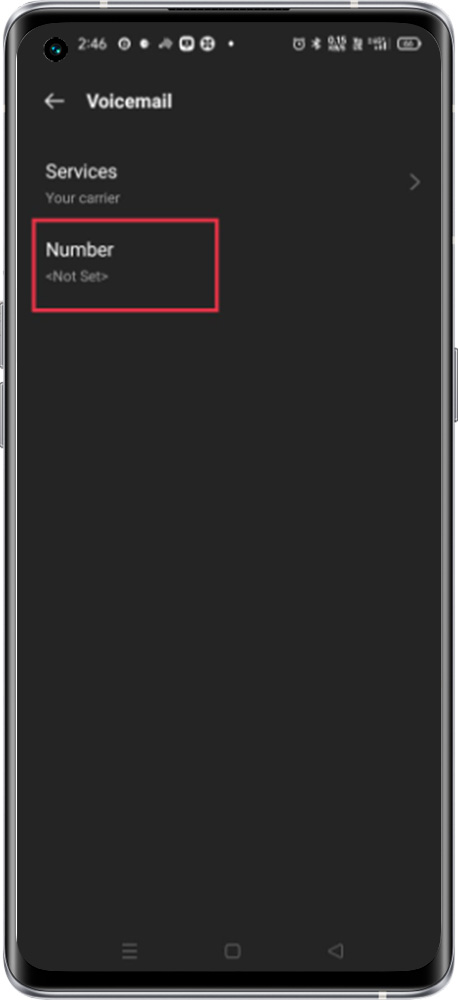
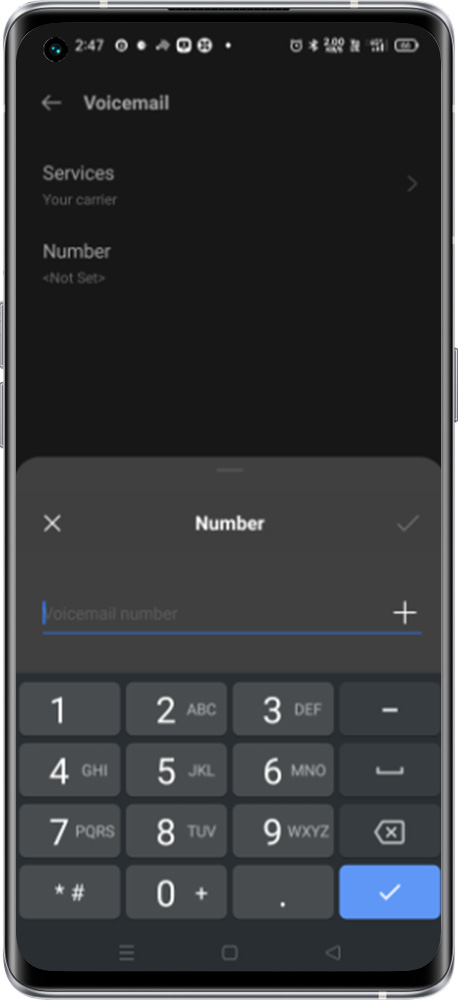
Open the Phone app > Tap More options > Settings > Voicemail > Advanced Settings > Number > Enter the voicemail number provided by the Operator
Note:
1. We need to contact the operator to get the voicemail number to activate this feature.
2. To check the voicemail, dial the voicemail number provided by the Operator.