1. Click the Start icon, and then select the Settings option.
2. In the Settings menu, select System.
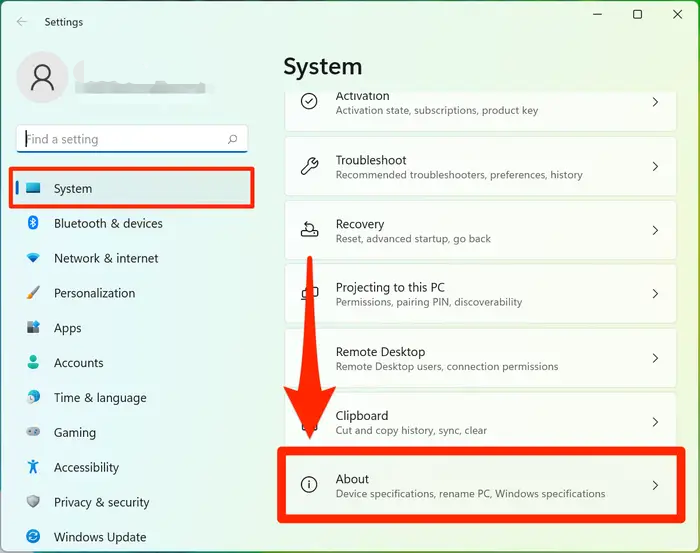
3. On the System page, click About. It will be the last option at the bottom of the System page.
1. Click the Start icon, and then select the Settings option.
2. In the Settings menu, select System.
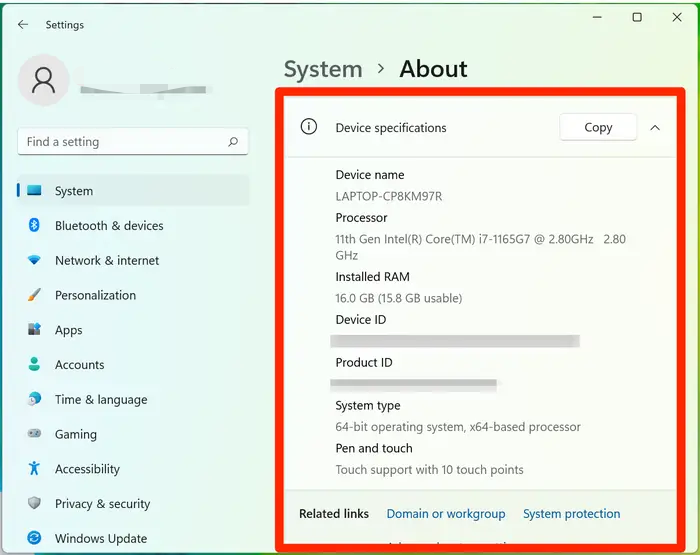
3. On the System page, click About. It will be the last option at the bottom of the System page.
Article Reference
Official Realme documented guide #2080899
Your feedback helps us improve our support content.
Explore more articles or contact our customer support team for personlized assistance.
Visit Support Hub