Introduction:
realme UI 5.0 and later versions integrate Microsoft LTW capabilities to achieve seamless interconnection between mobile phones and PCs, and rapid sharing of files and data between devices.
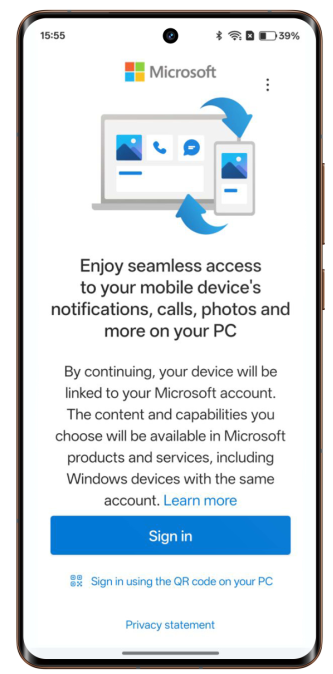
• One-click connection entrance: The LTW entrance is added to the control center/system settings. For the first time, you can connect your phone to the PC with one click without downloading the application in advance. You can then use unlock to connect later.
• Use mobile phone functions on PC: Support PC to send and receive mobile text messages, receive and make calls, receive application notifications, and open mobile applications.
• More efficient cross-terminal collaboration: Supports multiple file types to be seamlessly dragged and transferred between mobile phones and PCs, and graphics and text can be copied and pasted to each other.
Procedure:
1. Pull down on your phone's status bar to open Control Center (pull down again to fully expand the export), click Connect to Windows, or go to Settings > Connect & Sharing > Link to Windows from your phone.
2. When using it for the first time, click on the mobile phone to connect the mobile device and the computer, use the browser to visit https://pair.phonelink.microsoft.com/ on the Windows computer, and follow the interface prompts to open the QR code. Click Continue on your phone, then use your phone to scan the QR code on the computer screen to log in and connect. Follow the prompts to set permissions to complete the connection.
3. After the successful connection, you can use the functions according to the interface (send text messages, view photos, use mobile applications, initiate calls, etc.).
4. When using it again, the peripheral can be connected by opening the Link to Windows switch on the phone.

Note:
1. Computers with Windows 10 and above systems support this function. When connecting, the computer and mobile phone need to be connected to the same Wi-Fi network.
2. This feature is only available on some models. Please refer to the actual usage.