Problem phenomenon:
NFC can read cards, but cannot pay for the order.
Cause:
1. The NFC switch is not turned on.
2. Not in the induction area when swiping the card.
3. Tap to pay does not select the corresponding software.
4. The third-party applications are not compatible.
Solution:
1. Confirm whether the NFC switch is turned on.
Path: Pull down the status bar and click NFC to turn on the NFC switch.
2. When the NFC card is swiped, it is close to the NFC sensing position of the mobile phone (the NFC sensing area is at the position of the rear camera).
3. Whether the default payment application is set correctly, which application to use for payment must be set as the corresponding default payment application.
Path: Settings > Search "NFC" in the search bar > Enable NFC > Default Payment App > Select an app that usually requires NFC payment.
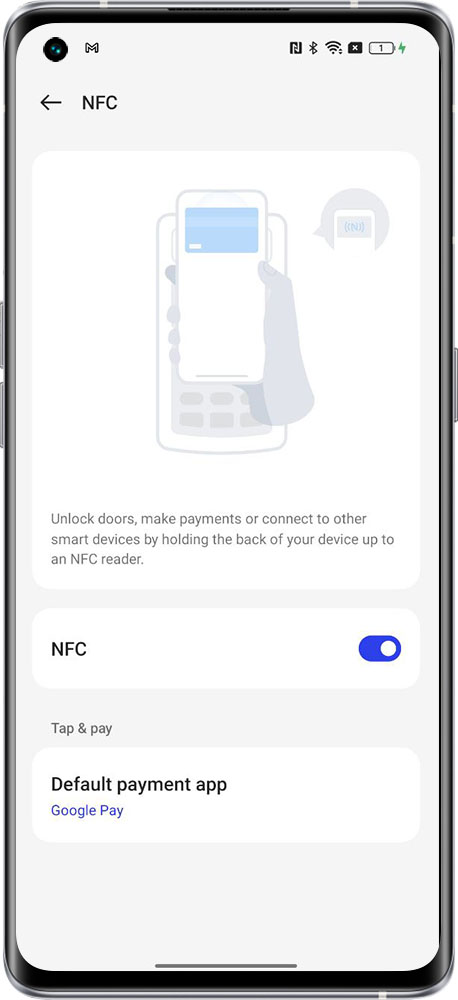
4. If the third-party application prompts that our model is not supported, it is recommended to contact the customer service of the third-party application for consultation.
If the above troubleshooting still fails, please bring the purchase invoice, warranty card, and mobile phone to the nearest realme service center for inspection.