Causes:
1. The volume of laptop settings or software has been muted.
2. There is an issue with the playback source.
3. The audio driver files are damaged.
4. The speaker or sound card is damaged.
Solution:
Please follow these steps to troubleshoot:
1. Click the volume icon  on the right corner and find this icon in the software to turn on the volume.
2. Play other songs or videos to try.
3. Reinstall the audio driver.
Go to the realme website to download and reinstall the audio driver. Link: https://www.realme.com/in/support/software-update
Select the driver of the corresponding model to download.
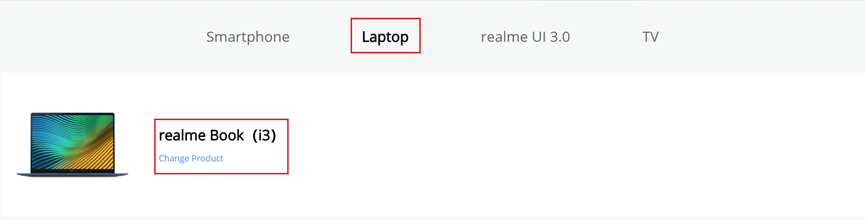
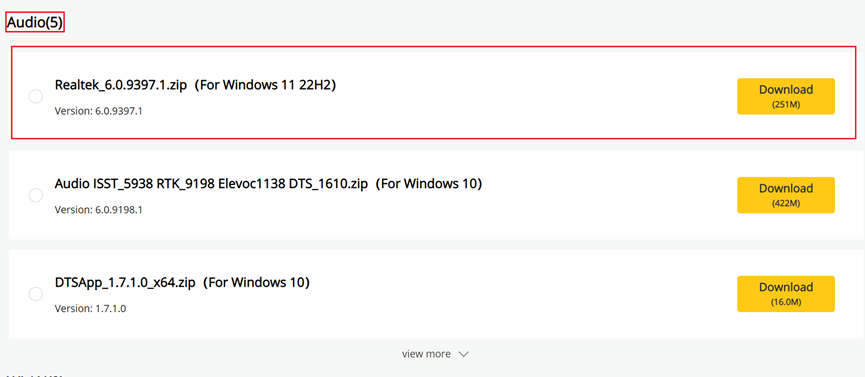
After downloading the package, decompress it and install the driver according to the README file in the folder.
If the fault persists, perform the following operations.
4. Restart your realme Book and try again.
If the above methods can't solve your problem, please visit realme Customer Service Center for help.