realme
realme 4K Smart Google TV Stick
Getting Started Guide
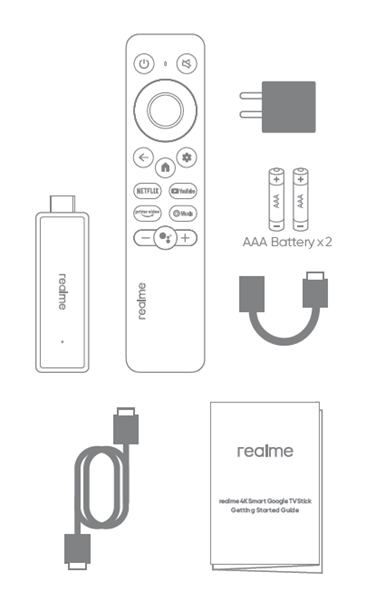
Packing list
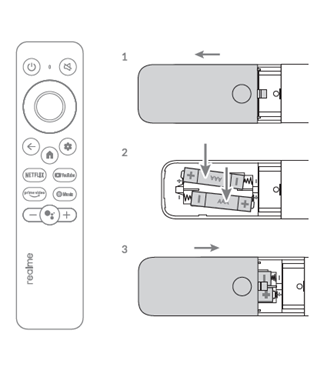
Install the remote control battery
Power on
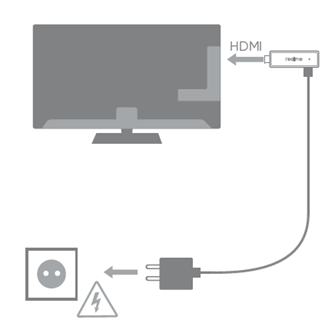
l Power on TV Stick and TV set
l Select correct HDMI input on TV
Internet connection
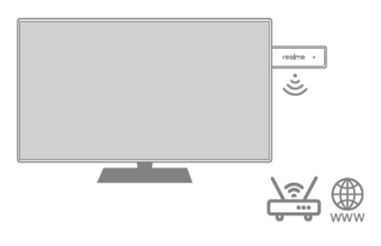
l Keep router near to TV Stick
l Make sure internet is available
Remote control pairing
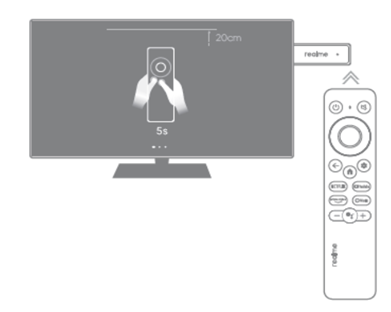
l Press and hold Home and Back buttons for 5 seconds to pair the remote control
l Keep remote control near to TV stick
Set up
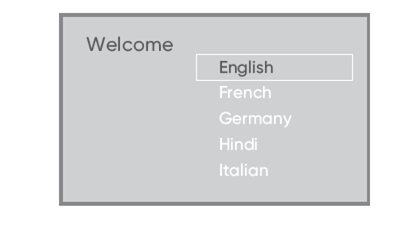
l Select language
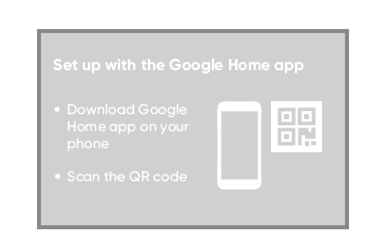
l Set up with Google Home app, Or set up step by step using remote control
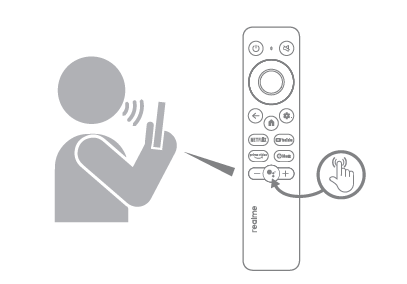
l Press the Google Assistant button on your remote to talk to Google.
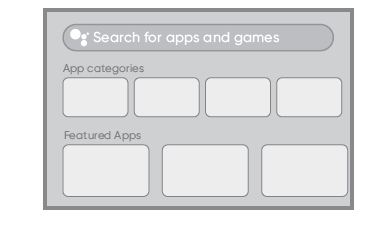
l Search for apps and games to download.
Parameter
CPU | Quad core ARM Cortex-A35 |
GPU | ARM G31MP2 |
RAM | 2GB |
Storage | 8GB |
HDMI | 2.1 |
Wireless | 802.11 a/b/n/g/ac 2.4GHz/5GHz |
Bluetooth | 5.0 |
Input Voltage | DC 5V, 1A |
OS | Google TV |
Operating temperature range | 0 ~ +40 ℃ |
Storage temperature | -10 ~ +70 ℃ |