realme UI 7.0 introduces the following enhancements based on the original Notes app:
1. Brand-New Block Editing: Edit 'Fast'
Content Blocks: Divide notes into text blocks, headings, image blocks, doodles, audio, video, etc.
Swipe to Edit: Swipe left/right on any block to enter editing mode. Multi-select, drag-and-drop blocks to rearrange.
Batch Formatting: Apply bulk operations (delete, check tasks) or adjust image/video display (resize, batch edits).
2. Added Image Size Switching
Long-press an image to switch its size. When switched to small images, two small images will automatically appear in one row. You can also long-press and drag the small images to adjust their position.
A maximum of two small images is supported per row, optimizing the image browsing experience.
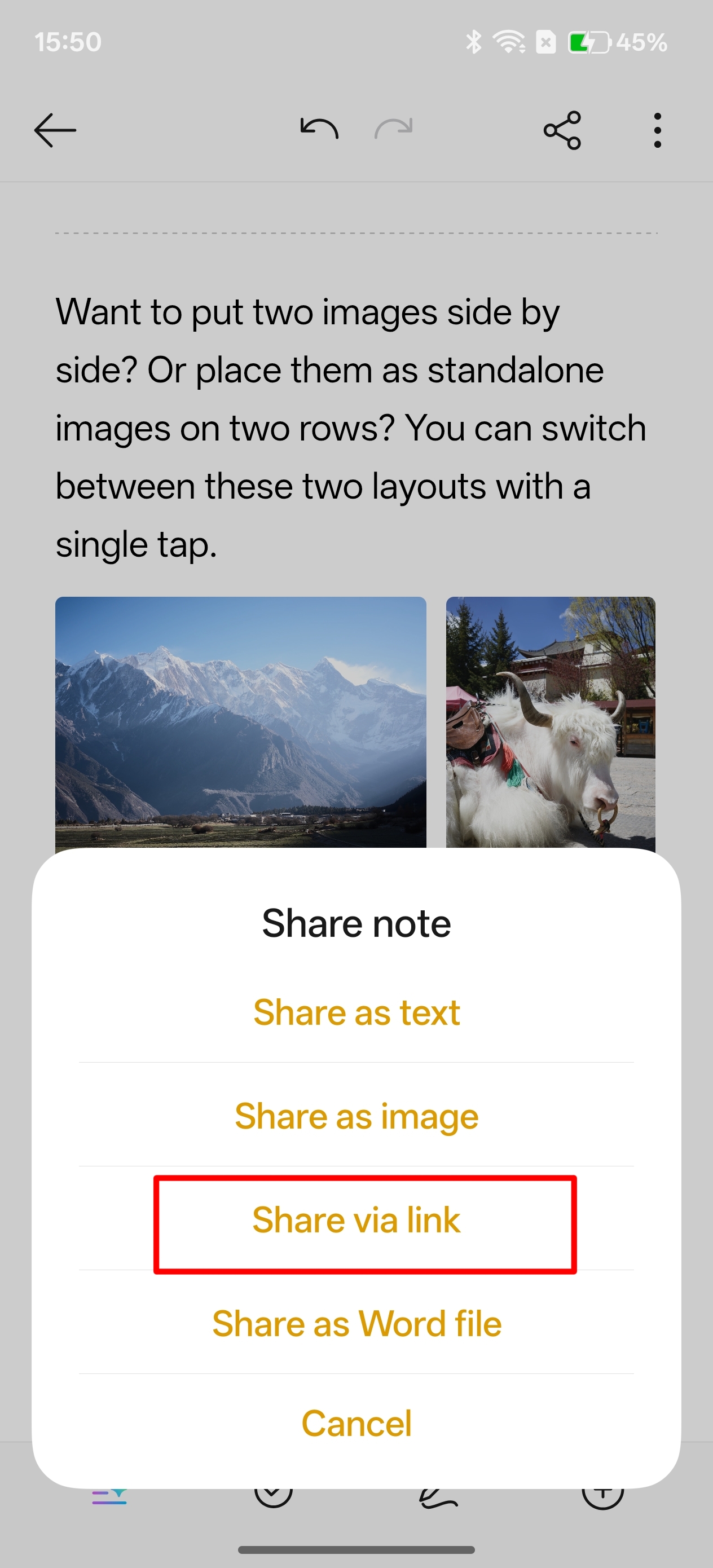
3. Added Note Share via a Link
A "Share via Link" button has been added to the note sharing page. Clicking the "Share" button will allow you to share the note's text, images, audio, and video content simultaneously with one click.
4. Added Highlighting During Editing
Long-press to select text, then tap "Highlight" to quickly bold, adjust color, highlight, add underlines, or create wavy lines, simplifying the marking process and efficiently emphasizing key
points in your notes.
5. Added "/" for quick edits
Tap "/" while editing notes to quickly access the formatting panel, eliminating the need for frequent formatting adjustments and improving editing efficiency.
6. Added Font Switching
While editing notes, tap the "Format" button at the bottom of the screen to switch between various fonts.
7. Added Wavy Underline
Long-press to select text, then tap "Highlight" or "Format" to add wavy underlines. Multiple colors are available for personalized layout.
8. Added Divider
Tap Format > Divider to insert dividers to quickly divide text areas, resulting in a more organized note structure.
9. Optimized Unordered List
The unordered list function now supports multi-level indentation. Clicking the indent button changes the text indentation, replacing solid dots with hollow dots, diamonds, and other symbols, allowing for
flexible hierarchical list construction, clearer logic, and more intuitive display.
10. Optimized Text Highlighting and Underlining
Text highlighting and underlining now support multiple color options, providing richer color choices for marking key information.