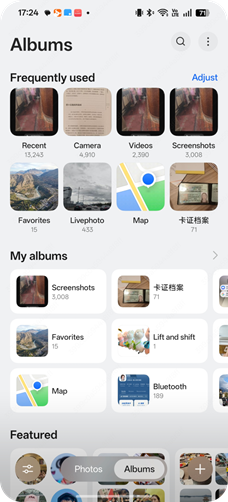
realme UI 7.0, the full-scene interface of the photo album has been completely refreshed. The visual frameworks of the home page timeline, large image page, photo album page, and edit page have been redesigned. In the brand-new aesthetic, it carries more efficient management capabilities and a more immersive browsing experience.
The specific optimizations are as follows:
1. Add an immersive browsing view: After entering the Album, click on the More icon in the upper right corner > Settings > Photo View, and you can choose either the immersive view or the Date view.
2. The position of the filter button has been changed
3. The visual framework of the editing page has been changed
The page of realme UI 7.0 photo album is as follows: