When you roll back to the previous version, your device displays "Decompression failed, installation package mismatch" or "Verification failed, error reading file" as below picture. Please follow the given steps below to troubleshoot:
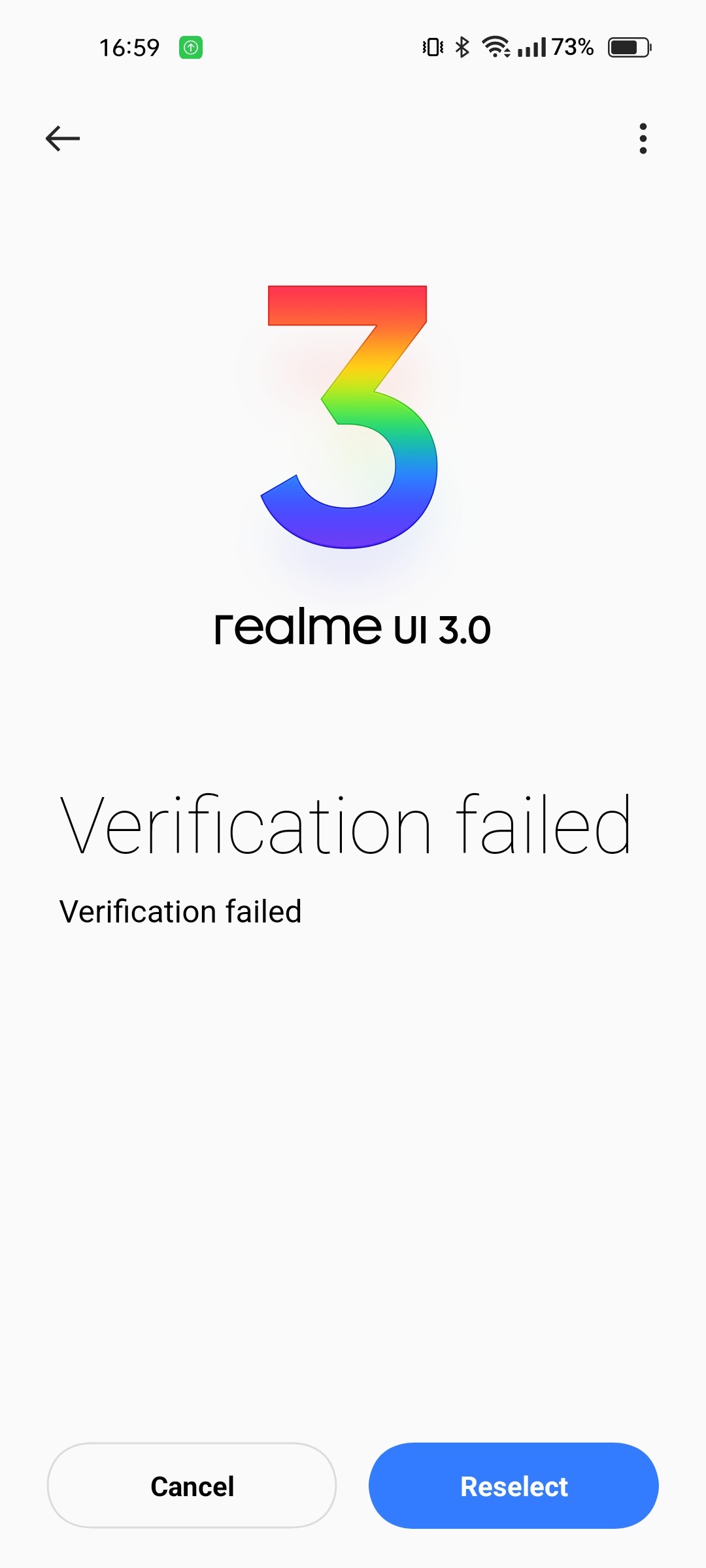
Note: Before troubleshooting, please confirm that the rollback package is downloaded from the official link and the model corresponds
(For example, the Master Explorer Edition cannot use the Master Edition package and the model & the package must correspond)
Rolling back a major version will clear all data, please back up before rolling back.
After you have backed up your data, perform the correct rollback as follows:
1. Move the downloaded rollback package to the phone storage directory
Rollback package download:
Open the community post to find and open the link of the rollback package, the download time is long, please keep the network smooth.
Directly click the link of the rollback package in the official website community, Google chrome starts to download.
2. Turn on local installation option
Setting path: Settings > About device > Version > Click on the Build number 7 times > open developer options.
Note: If you don't turn on the developer options, you will not find the local install option in the next step.
3. Install the rollback package
1. Settings > About device > Click the top version information > Three dots in the upper right corner> Local install, enter the phone storage
2. Click the menu bar in the upper left corner> select the phone model and find the rollback package in the phone storage (phone root directory)
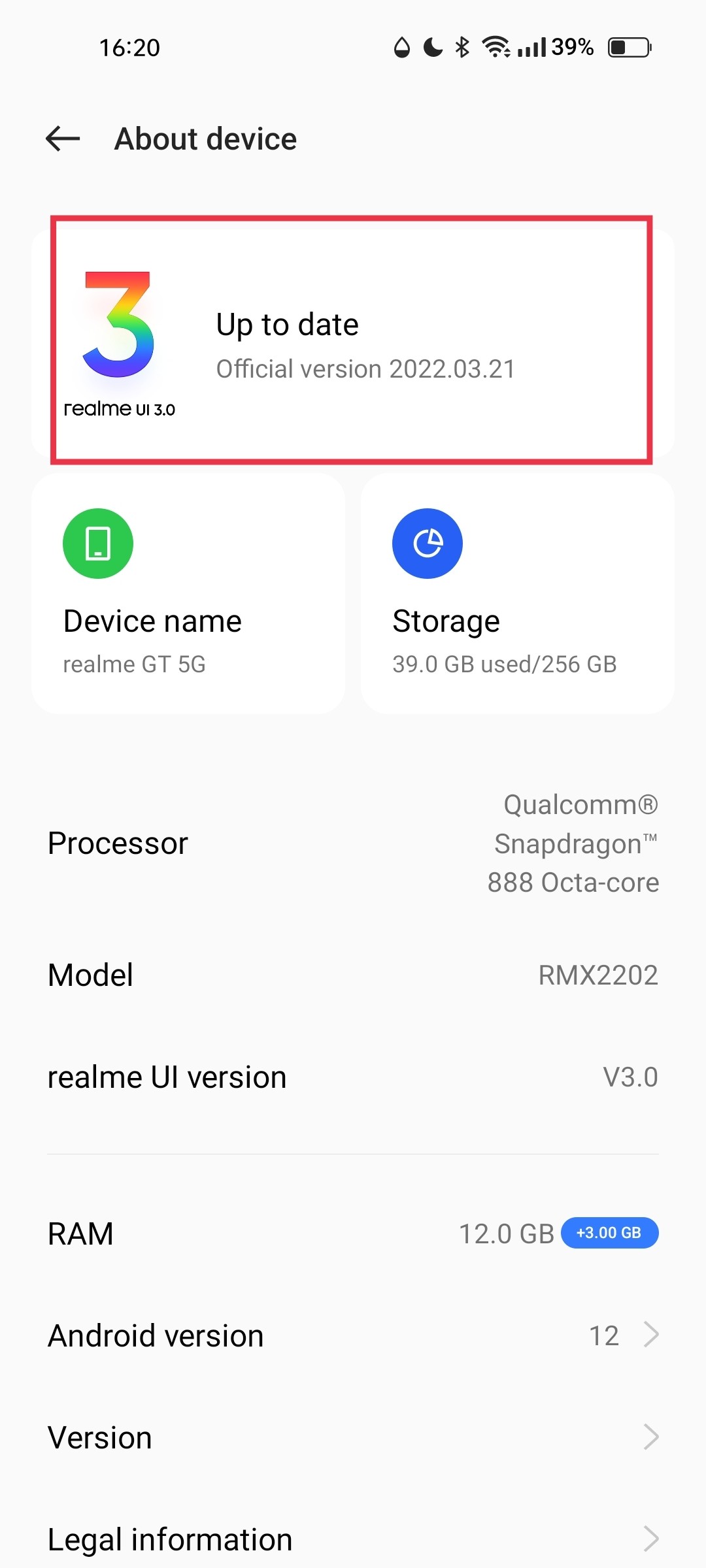
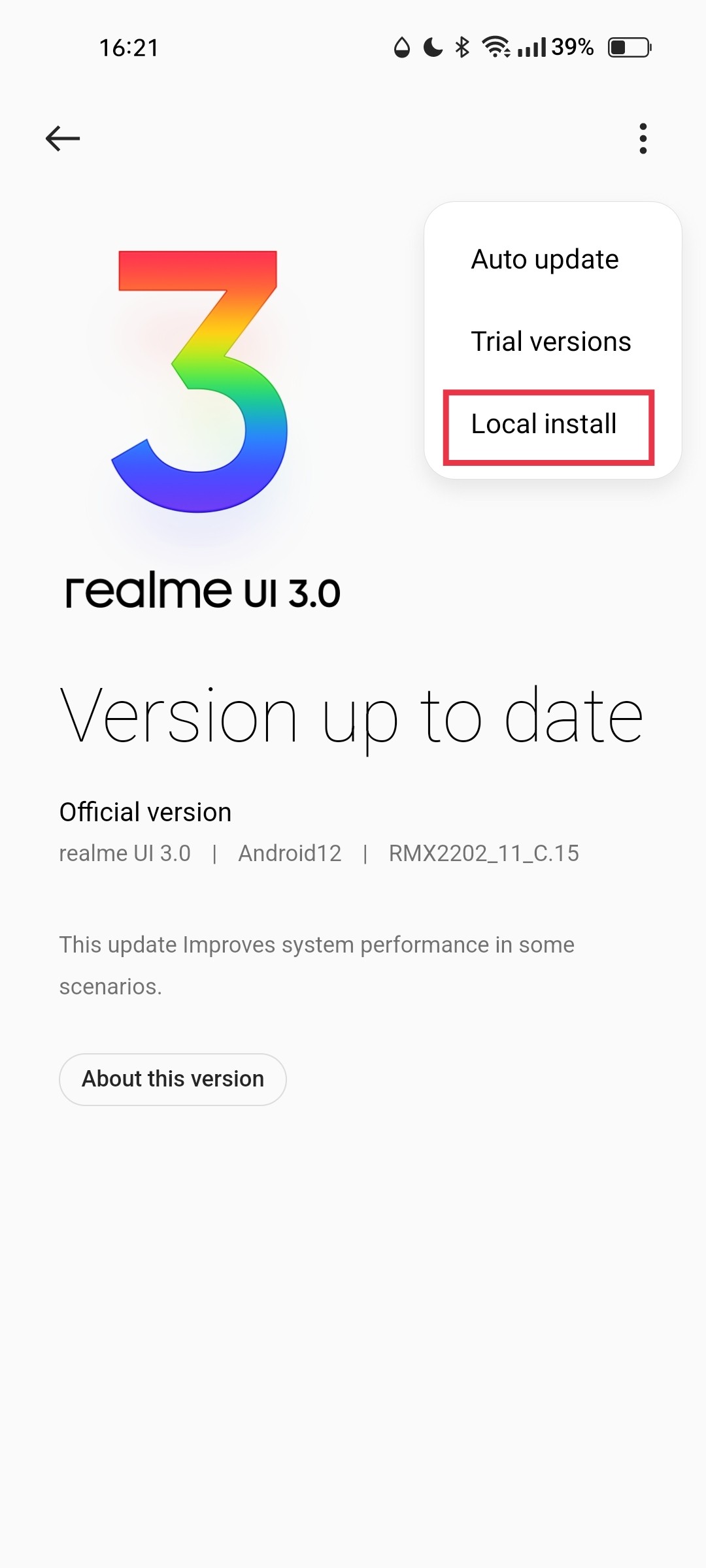
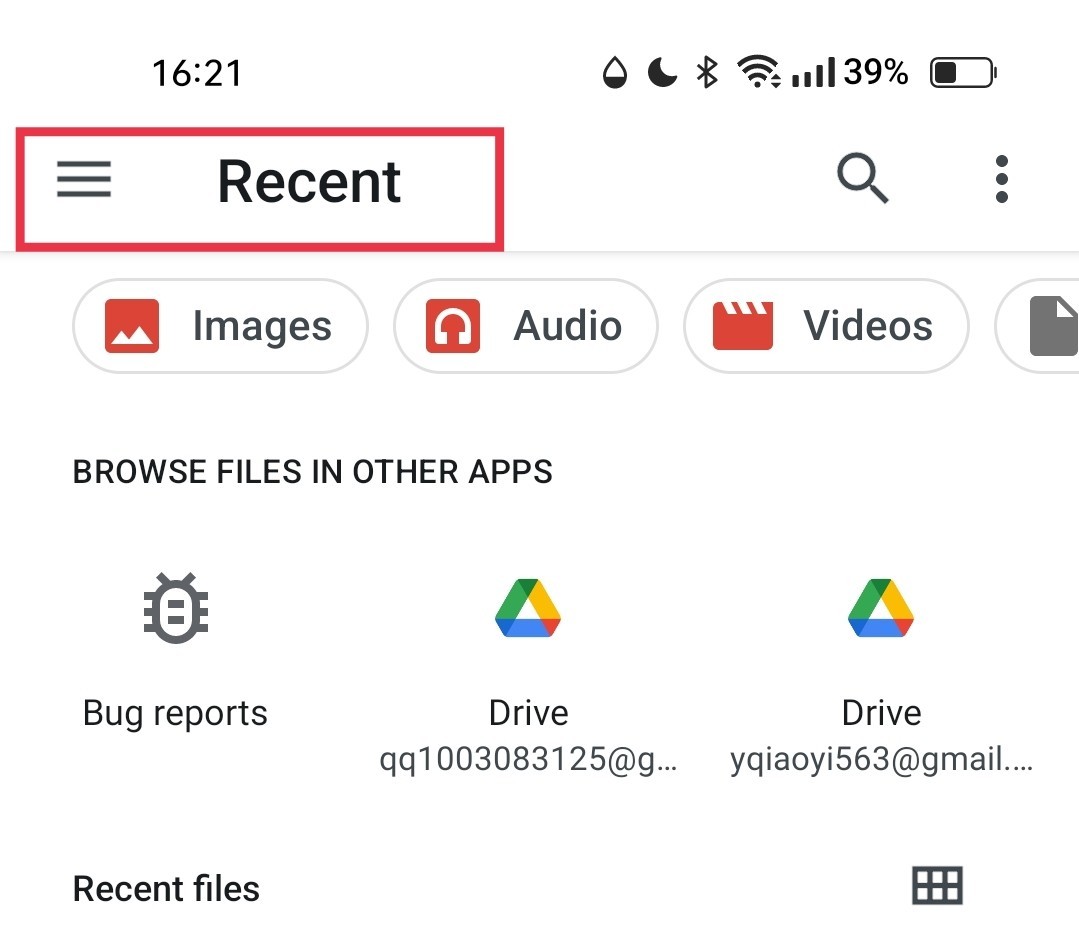
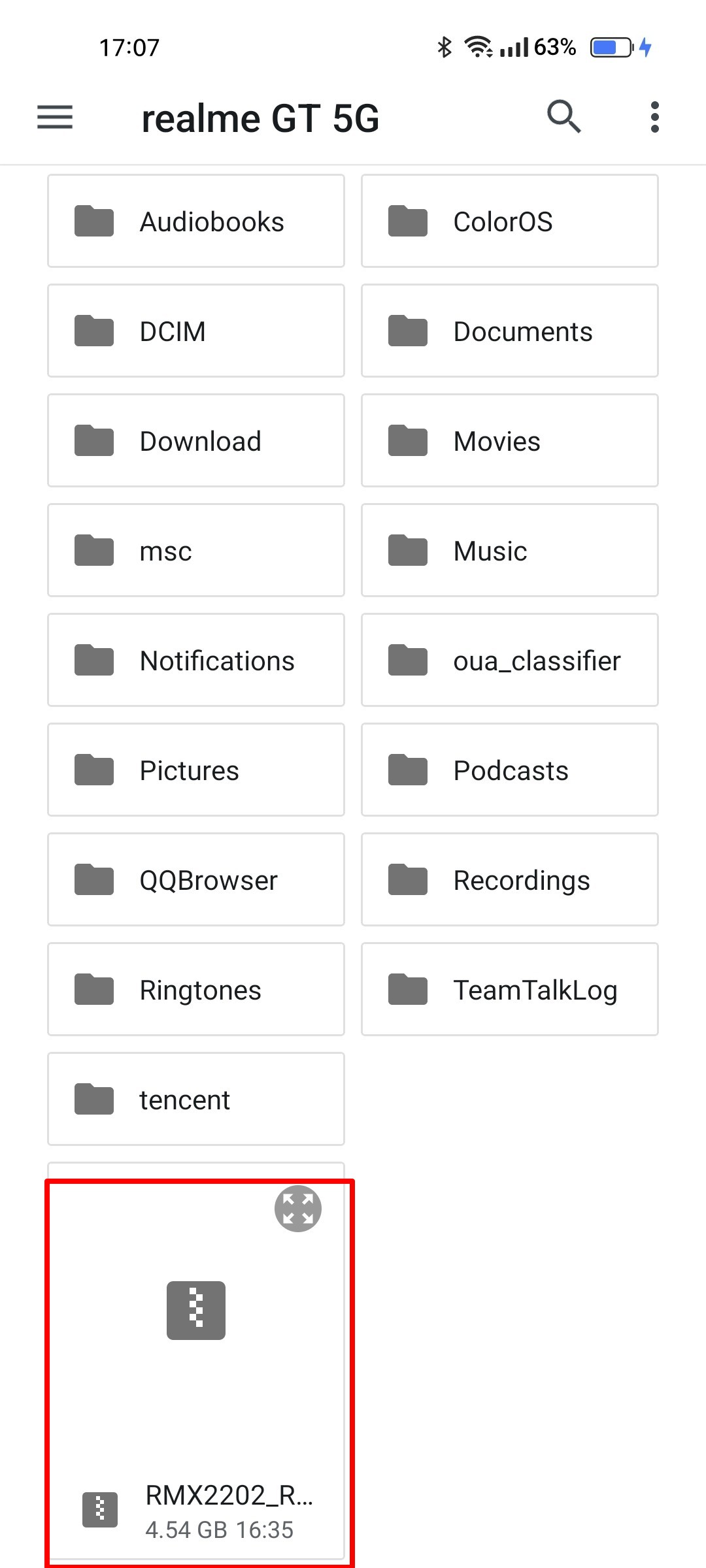
3. Click on the rollback package, the system prompts Verifying and after the verification is completed (it is expected to take more than 1 minute), the system pops up the installation interface, click Install, the phone will be turned off and the rollback will be successful. After the system installation is completed and the system is automatically turned on. (The system installation time is expected to take more than 5 minutes, please do not do any operation on the phone)
If the rollback fails after troubleshooting, please collect relevant information, capture other logs, enable screen recording in the log and follow the above rollback operation steps to reproduce the problem and complete the capture.