realmeparts

The preview images in the Camera app in Windows 11 are reversed

6,122 views
3 likes
Official Source
laptop

Problem phenomenon:

After the user updates the system to Windows 11 and opens the Camera app, the left and right sides of preview images are reversed.


Cause:

The earlier version of the Windows Camera app (version V2020.503.58.0) is incompatible with Windows 11.


Solution:

Update the Camera app to version 2021.105.10.0 or later in Microsoft Store:

1. Connect your computer to a network, enter "Microsoft Store" in the search box on the taskbar, and click Open.
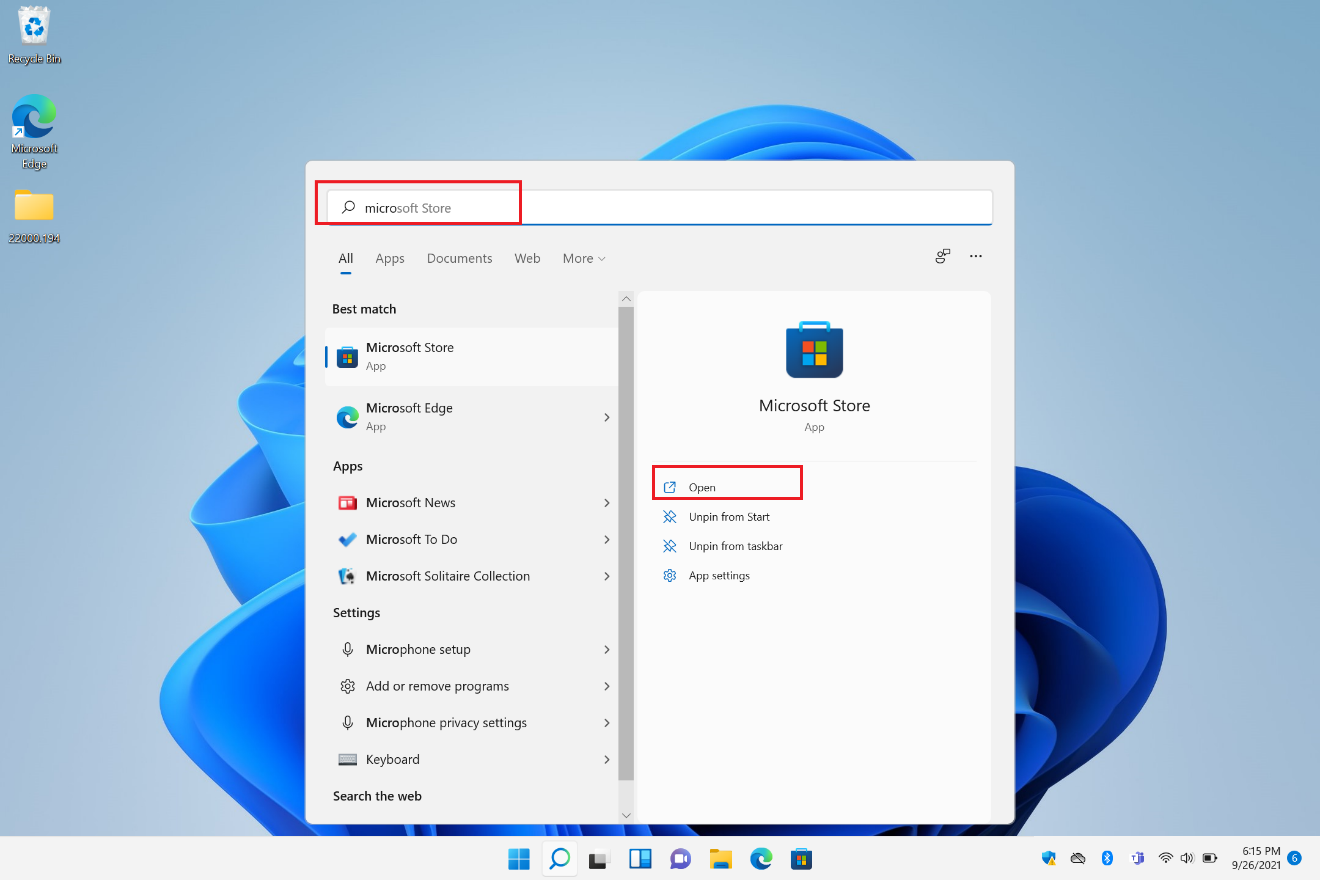
open microsoft office store .


2. Enter "Camera" in the search box at the top of Microsoft Store, touch the Windows Camera app, and touch the Update icon to update it.
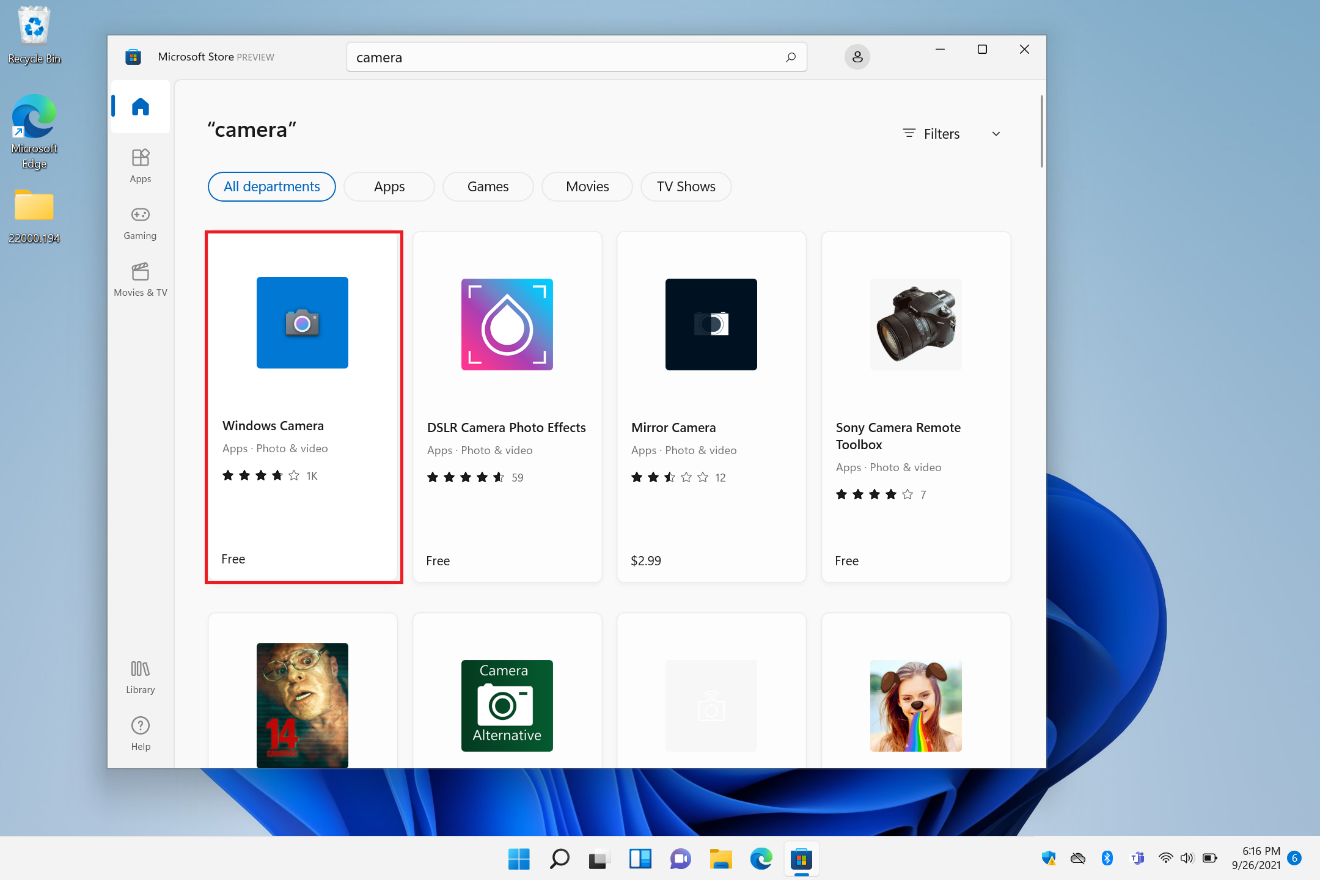
windows 11 camera setting

3. After the update is complete, restart the camera.

Article Reference

Official Realme documented guide #2072571

View on realme.com

Related Topics

#camera app in Windows 11#windows 11 camera app preview reversed#photos mirror image in windows 11 camera app#fix reversed pictures in windows 11 camera app#troubleshoot camera in Windows 11

Was this article helpful?

Your feedback helps us improve our support content.

Still need help?

Explore more articles or contact our customer support team for personlized assistance.

Visit Support Hub