When watching & downloading videos.
1. Check if the file type is supported by the video player. Test the video in other video players and see if you fix the issue.
2. Go to [Settings] > [App Management], click [Show System Process] click the video player that you use, then click> [Storage Usage] > [Clear data] &[Clear Cache]
3. Restart your realme phone.
When watching online videos.
1. Check the video player
2. Clear cache and data and restart your video player before accessing your video again. Make sure that you have upgraded the video player to the latest version. If you continue to have problems, try another video player to see if your performance changes.
Check the video quality and Internet connections.
• Make sure you can get online using or your internet connection is good enough.
• Change your video's quality to a lower setting. The higher the video quality, the longer it takes to load on many video players.
• Contact your Internet Service Provider to make sure that there is no issue with its servers. Verify that you currently have permission to access their network as well.
Close unused background applications.
When watching online videos, you can close extra unused apps running in the background to prevent from draining system resources.
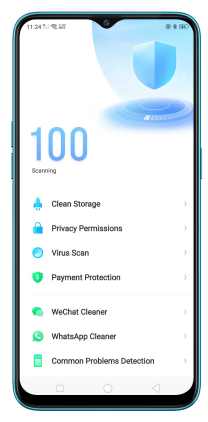
Clear phone cache and plug-ins.
Junk files might slow down your phone's operating speed. Go to [Phone Manager] > [Clean Storage] to clear phone memory, cache, and plug-ins.
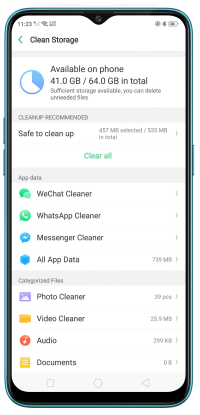
*Pictures, settings, and paths might differ from those of your phone, but that does not affect the description in this article.