Feature:
Two windows can be displayed on the screen of the phone, and the two applications can be running at the same time without affecting each other.
Setting Path:
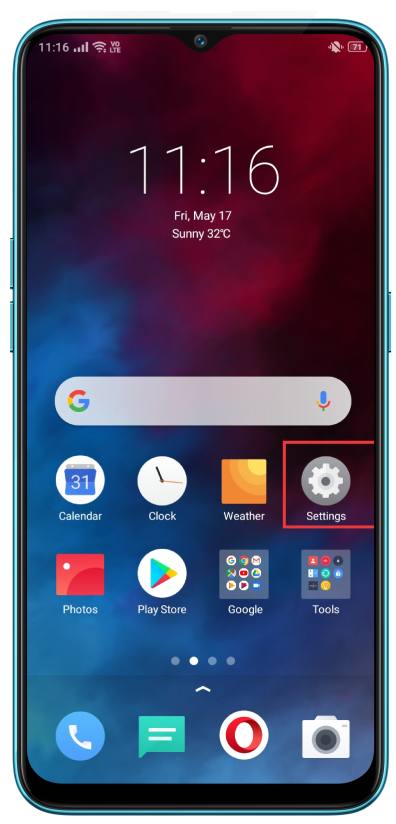
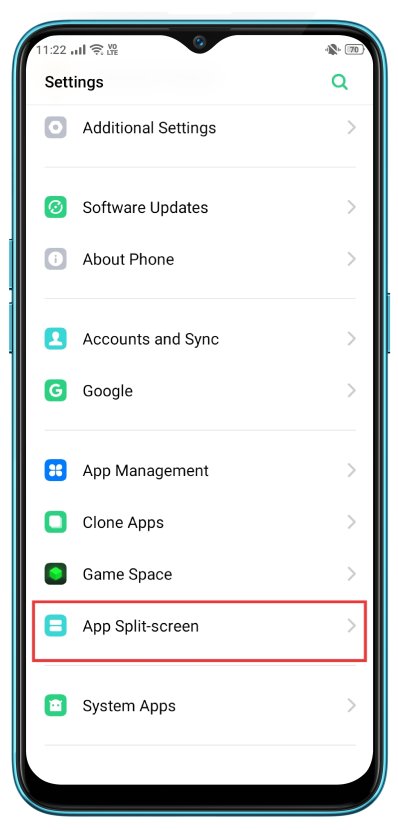
realme UI 7.0 & 6.0: Settings > Accessibility & convenience > Split screen.
realme UI 5.0 & 4.0: Settings > Special features > Split screen/view.
realme UI 3.0: Settings > System settings > Convenience tools > Split Screen.
realme UI 2.0: Settings > Convenience tools > Split Screen.
realme UI 1.0: Settings > Split Screen.
realme UI R & S & T & Go & U Edition: Not supported
How to enable it?
The first path (For realme UI 1.0 & above versions):
Multi-task > Click on the top right corner > Split-screen

The second path (For realme UI 1.0 & above versions):
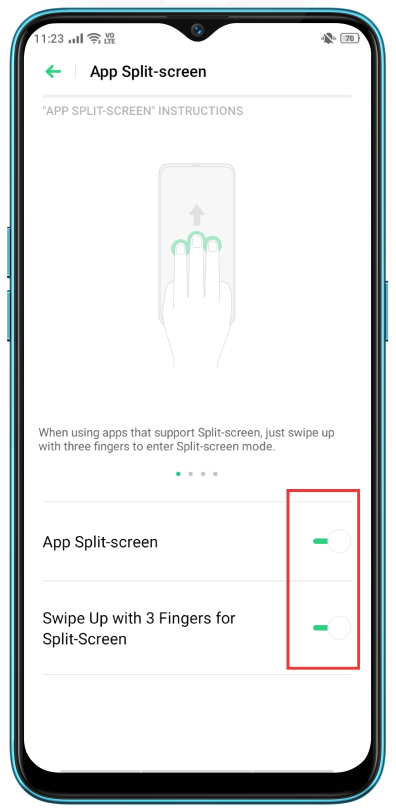
Swipe up with three fingers to enable.

The third method:
Long Press Multi-Task Virtual Key.


The fourth method:
If an app supports split-screen display in full screen landscape mode, when received an instant messaging notification, tap "Split-screen Reply" to enter split-screen mode.
Quit split-screen:
Click the Back Key or long-press Multi-Task Virtual Key.
