Ultra volume can increase the volume to 200%, providing a greater volume service, which is convenient for you to use in noisy environments.
Supported 400% Volume models:
realme C71 4G, realme 15x 5G, realme C85 5G, realme P4x 5G
Supported 300% Volume models:
realme 14 Pro, realme C75 5G, realme 15 5G, realme 15 Pro, realme P4, realme P4 Pro, realme 15T, realme P3 Lite 5G
Supported 200% Volume models:
realme C63 5G, realme C63, realme C61, realme 10, realme 10 Pro+, realme 10 Pro, realme narzo N55, realme C55, realme narzo 60, realme 12 5G, realme 12x 5G, realme Narzo 70x 5G, realme C65 5G,realme NARZO N65 5G, realme NARZO N63, realme NARZO N61, realme 13 5G, realme 14x 5G, realme P3x 5G, realme P3 5G, realme NARZO 80 Pro,realme Narzo 80x, realme 14T 5G, realme C73 5G, realme NARZO 80 Lite 5G
Supported 150% Volume models:
realme narzo N53, realme C53, realme C51
Usage scenarios:
Super volume supports external playback scenarios such as games, music, long and short videos, ringtones, and alarm clocks, but does not support call external playback scenarios (phone calls, video calls, etc.) and headset scenarios.
Setting method:
Please press the volume + button to adjust the current volume to the maximum value, then press the volume up button again to turn it on, and the page will prompt that the super volume mode has been turned on.
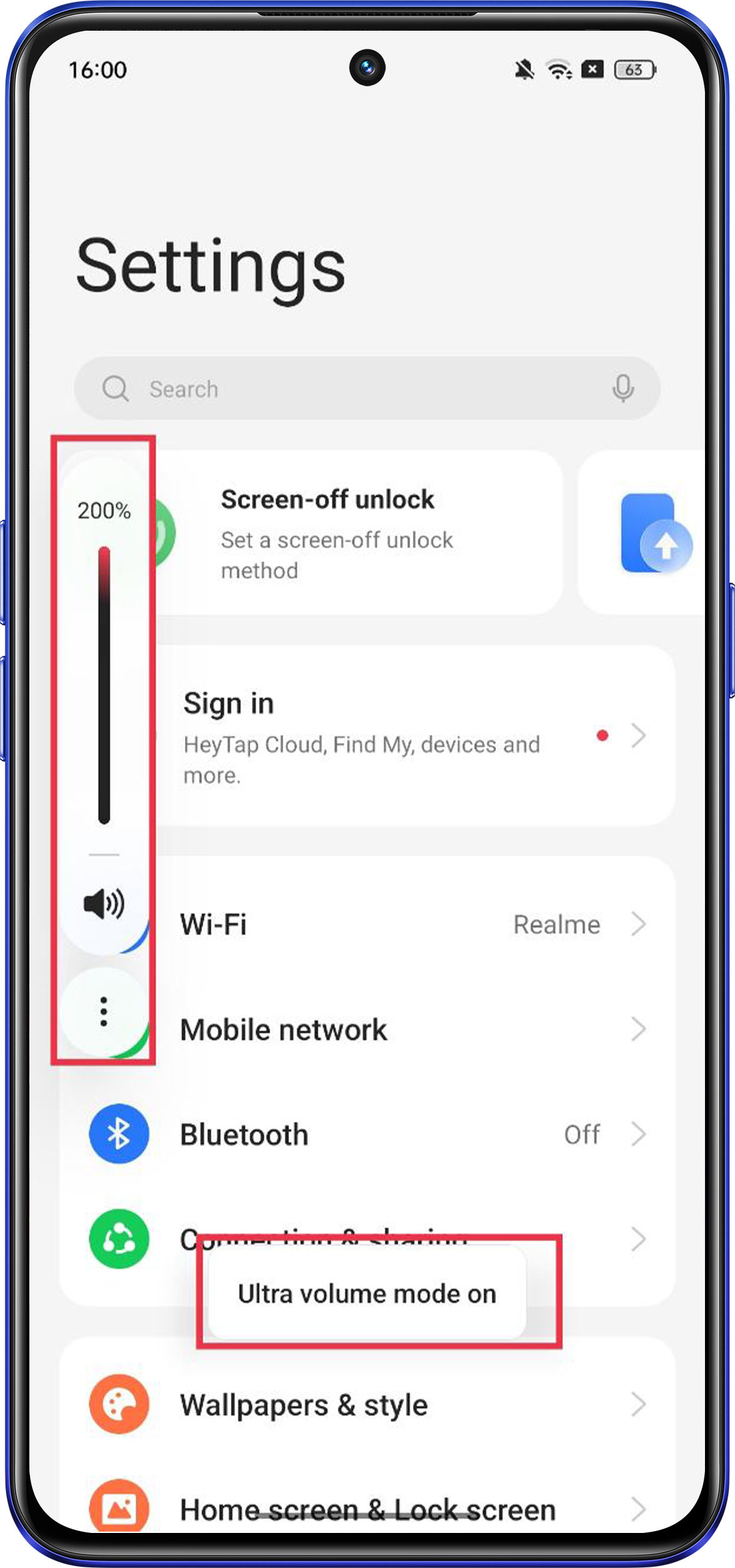
Note: This function will affect the sound quality. If you feel uncomfortable, it is recommended that you turn off Ultra Volume 200%.
Related Articles:
How to set Volume button function