realmeparts

What should I do if computer get stuck when activating Windows system settings

9,533 views
5 likes
Official Source
laptop

If the computer gets stuck when activating Windows:


1. Please press and hold the power button for 5 seconds, force shut down the computer, then restart the device, then try it again;

2. If it still does not work, it is recommended to back up the data in advance. Restart computer, please press F8 before it enter Window System, then reset the computer.
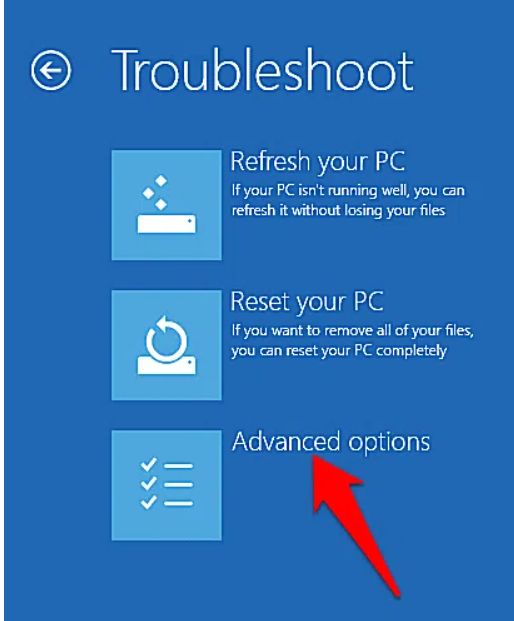
Windows Activation issues


Notes:

1. System restore factory function will delete all the data, please back up your data in advance;

2. If the above operations can not solve the problem, please back up data and visit realme service center for help.

Article Reference

Official Realme documented guide #2042434

View on realme.com

Related Topics

#The laptop is stuck ...#realme book hanging#Windows system settings#Windows activation stuck#computer stuck activating Windows#fix Windows activation problem

Was this article helpful?

Your feedback helps us improve our support content.

Still need help?

Explore more articles or contact our customer support team for personlized assistance.

Visit Support Hub