Forgot PIN:
If you have forgotten your PIN and cannot enter the Microsoft account password to enter the system, please follow the steps below to reset the PIN to enter the system.
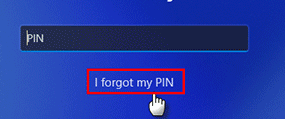
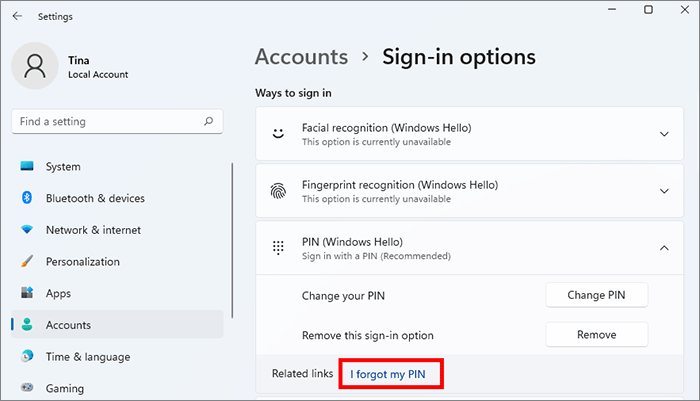
1. On the login interface, confirm that the computer is connected to a network that can access the Internet, and then click "I forgot my PIN".
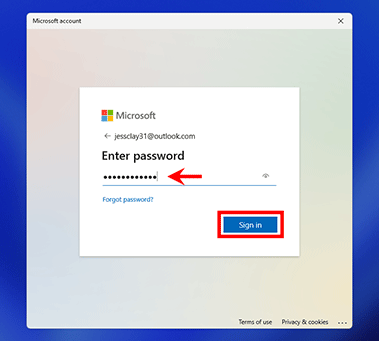
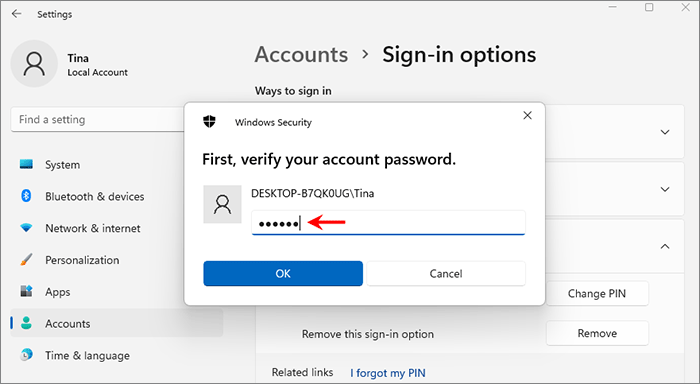
2. Verify your Microsoft account password, as shown below:
3. If your Microsoft account has a mobile phone number, etc., please choose to send a text message to the phone number. Before sending a text message, you need to verify the last four digits of your phone number.
4. Enter the verification code received by your bound phone number, and then click "Verify".
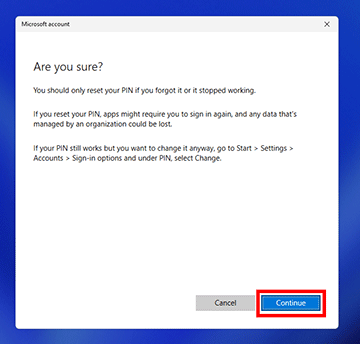
5. After the verification is successful, there will be a confirmation prompt to reset the PIN, please click Continue.
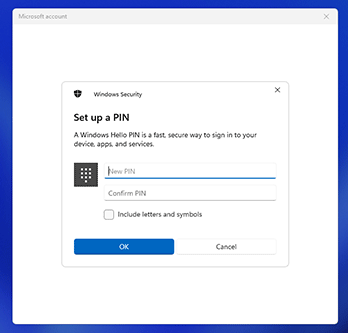
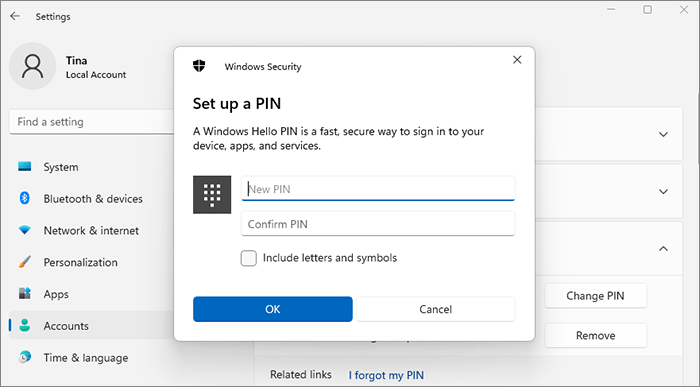
6. Enter your new PIN and enter it again to confirm, and then click OK. Your PIN will be reset successfully.
If you can enter the system with other passwords (such as local account passwords), please modify the PIN as follows.
Press the key combination "Win+I" to enter the Windows setting interface, select "Account" > "Sign-in Options", click "I forgot my PIN", and then need to enter the account password. After entering the correct password, set a new PIN according to the interface prompts.
Forgot account password:
If you forget your local account password, but your fingerprint or PIN code can be used normally, you can set a new password in the following ways:
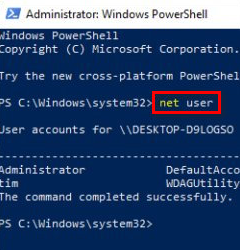
1. Right-click on the desktop Windows icon and select Windows PowerShell (Admin) from the pop-up menu. Input: net user local account user name and the new password. For example net user L3 321, after pressing Enter, the interface prompts "command completed successfully" and then to modify it.
2. How to view the local account name: Shortcut "Win+I" to enter the setting interface, and select "Account" > "Account Information" to view the name of the local account information.
If you forget your password (account password or PIN code) and cannot enter the system:
1. If you remember the security question, click "Reset Password" after entering the wrong local account password. After clicking, it will jump to the security interface. You can directly change the password after entering the correct password.
2. If the name of the account is a Microsoft account, and the mailbox and phone number bound to the account can still be used, it is recommended to use other devices, such as phones, to log in to any website related to Microsoft, such as www.office.com, and use the bound phone number or email address to change Microsoft account password.
3. If you don't remember or haven't set the security question, please restart the laptop and press F8 continuously to enter safe mode, select Troubleshooting, and reset this computer.