What is the Do not disturb feature?
The way you wish to be notified of incoming alerts and notifications is up to you. All calls, alerts, and notifications are muted when you toggle Do Not Disturb on your mobile device. As long as the Do Not Disturb option is enabled, you can choose which notifications, alerts, or calls you to want to receive. A schedule can also be set so that the light turns on and off automatically at scheduled times.
Fault Phenomenon:
1. Do not disturb feature turns on automatically.
2. Do not disturb the feature's abnormality.
Solution:
1. Please check whether the feature is enabled with the Do not disturb schedule.
All realme UIs: Settings > Sound & vibration > Do Not Disturb > Schedules > Turn off the schedule.
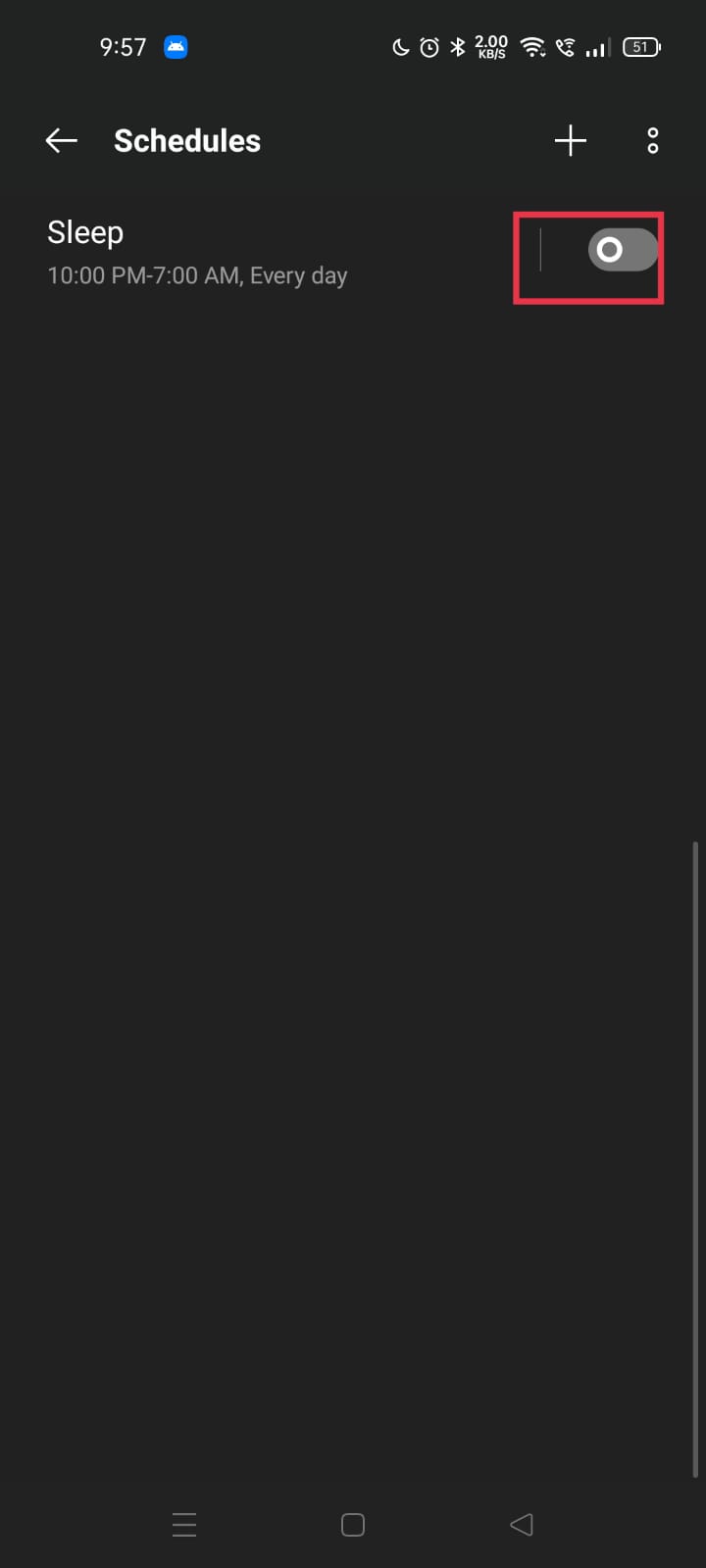
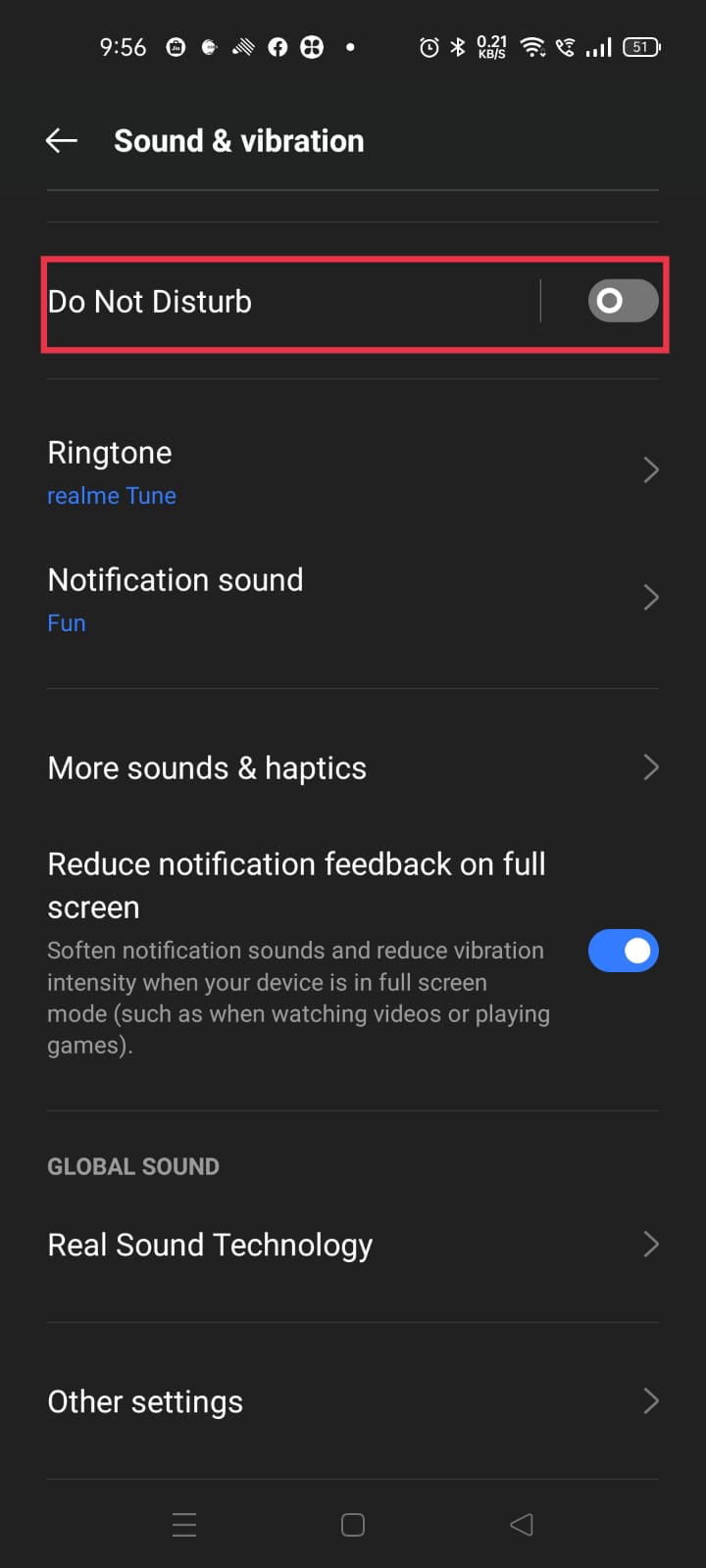
2. Please disable the Do not disturb feature and check again
All realme UIs: Settings > Sound & vibration > Do Not Disturb > Disable Do Not Disturb
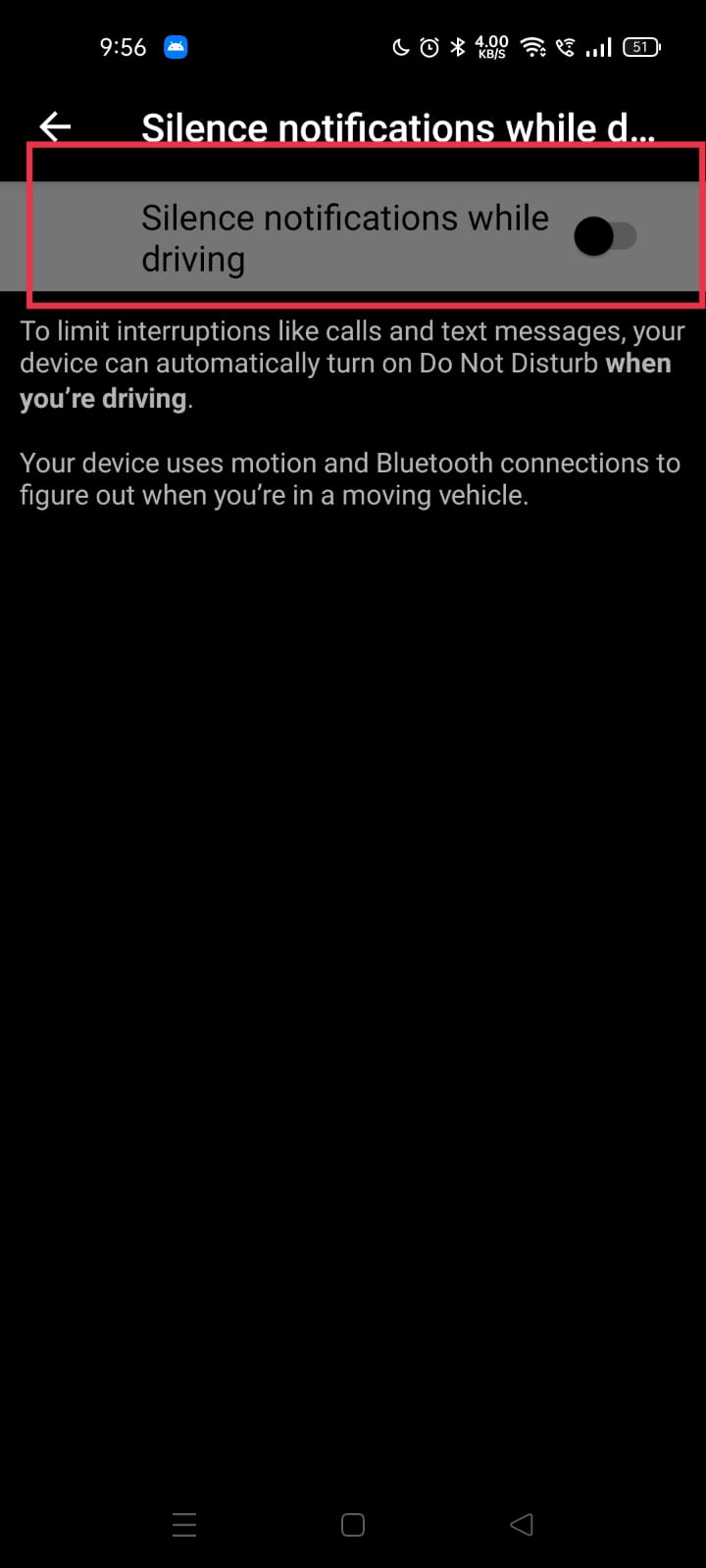
3. Check that Google personal safety mode is on the Phone. If yes, please disable with the steps: Settings >Google > Personal safety > Silence notifications while driving-turn off.
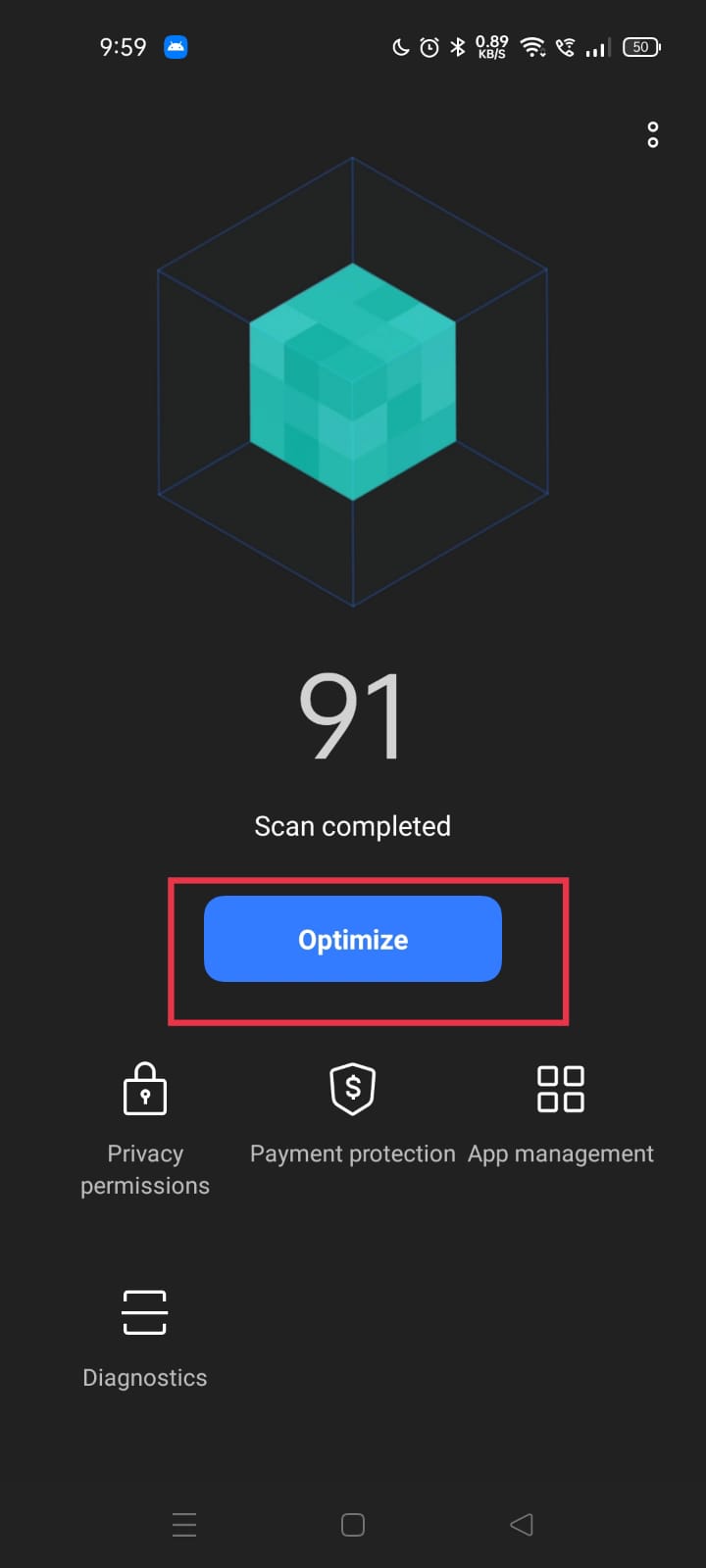
4. Please optimize the phone with the steps: Phone manager > Optimize and check again whether the feature is working. If not, follow the next step.
5. Please reset the device and check again. To reset the device refer to the article: "How to reset the phone to factory settings?"
If the issue remains unresolved, back up your data and take your device and proof of purchase to an authorized realme Service Center for assistance.