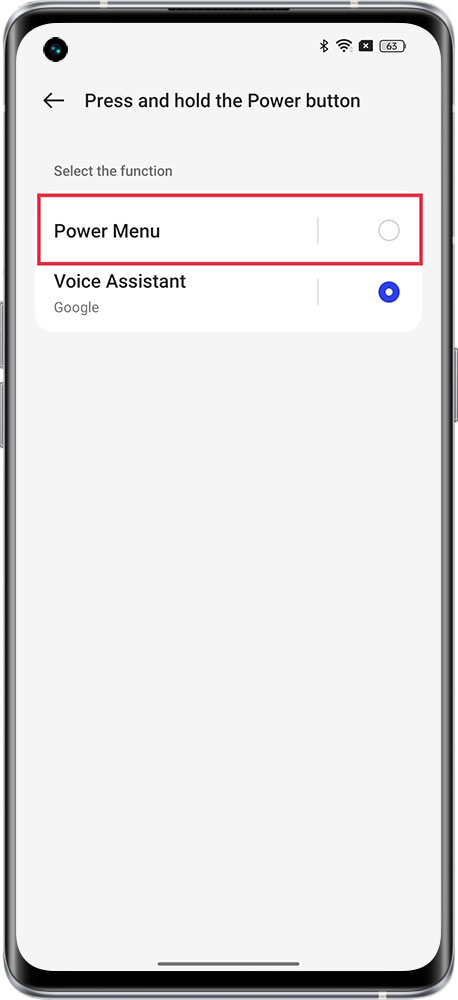
Due to a new Google rule on the OS level, Android devices on version 12 and later will not show the power off/restart menu on long press. This menu will be shown on long press of power button and Volume+ button. realme 9 Pro is the first device to follow this and moving forward all devices from realme in Android 12 will follow this rule.
realme 9 Pro+ was manufactured in January and this rule applied to devices manufactured from Feb 2022.
But for the devices of realme UI 3.0 & above versions, you can change the settings to hold the Power Button to show the power off menu.
Path:
realme UI 3.0 & above settings : Settings > Search for "Power button" > Press and hold the power button > Power menu.
realme UI T & U Edition: Settings > System > Gestures > Press and hold power button > disable Hold for Assistant/Power menu
realme UI R & Go & S Edition: not support