Problem phenomenon:
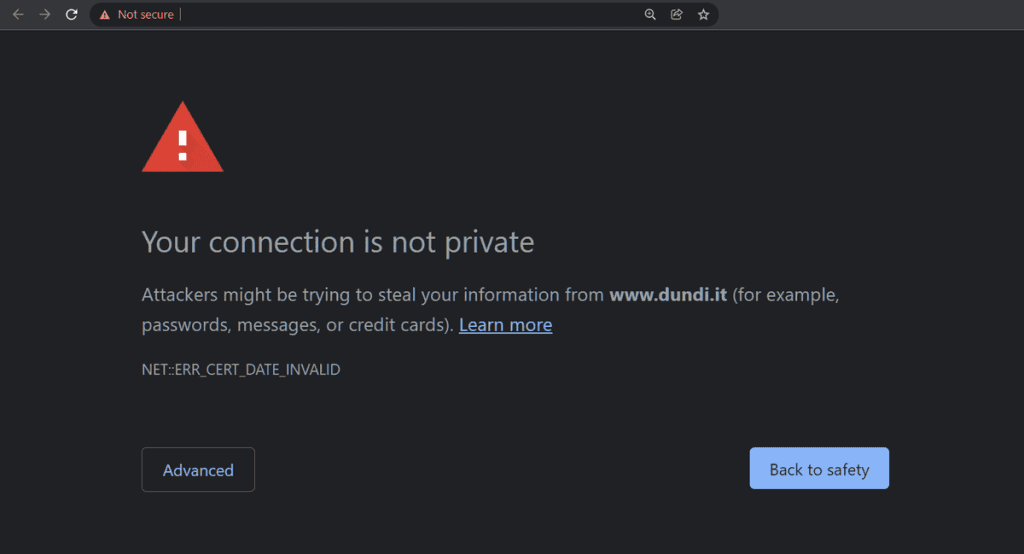
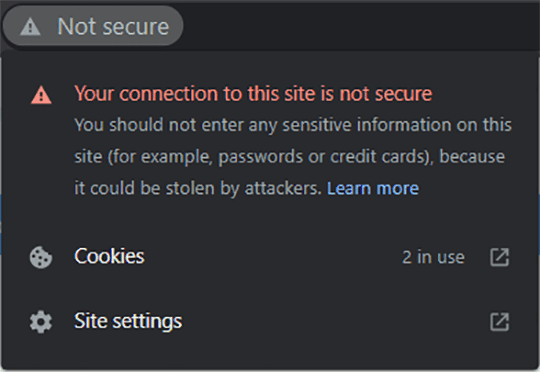
When browsing the web, icons appear in the address bar, indicating that the website is not secure.
Problem causes:
This website does not have a valid certificate, or the SSL certificate has expired.
Solutions:
The above prompts suggest that the website isn't entirely unreachable. However, it's crucial to assess whether the website's content and information are legal and secure. To resolve any potential issues, we strongly recommend reaching out to the website administrator.
Reasons Behind the "Not Secure" Warning
The "Not secure" warning appearing in your web browser is due to the website you're accessing lacking a secure connection. This vulnerability means that any information you enter on the site could potentially be intercepted by hackers or other malicious parties.
Several factors contribute to a website lacking a secure connection. One common cause is the absence of HTTPS implementation. HTTPS is a secure protocol that encrypts data transmitted between your browser and the website, safeguarding it from unauthorized access. Another possible reason is an expired or invalid security certificate, which undermines the website's authentication and security.
Precautions When Encountering the Warning
Upon seeing the "Not secure" warning, it's advisable to refrain from entering any personal or financial details on the website. Additionally, exercise extreme caution when clicking on links, as they might redirect you to malicious sites.
Tips to Ensure Online Security
Even if you choose to proceed and visit a website with a "Not secure" warning, remain vigilant, as your personal information remains at risk.